830
Users Manual
76
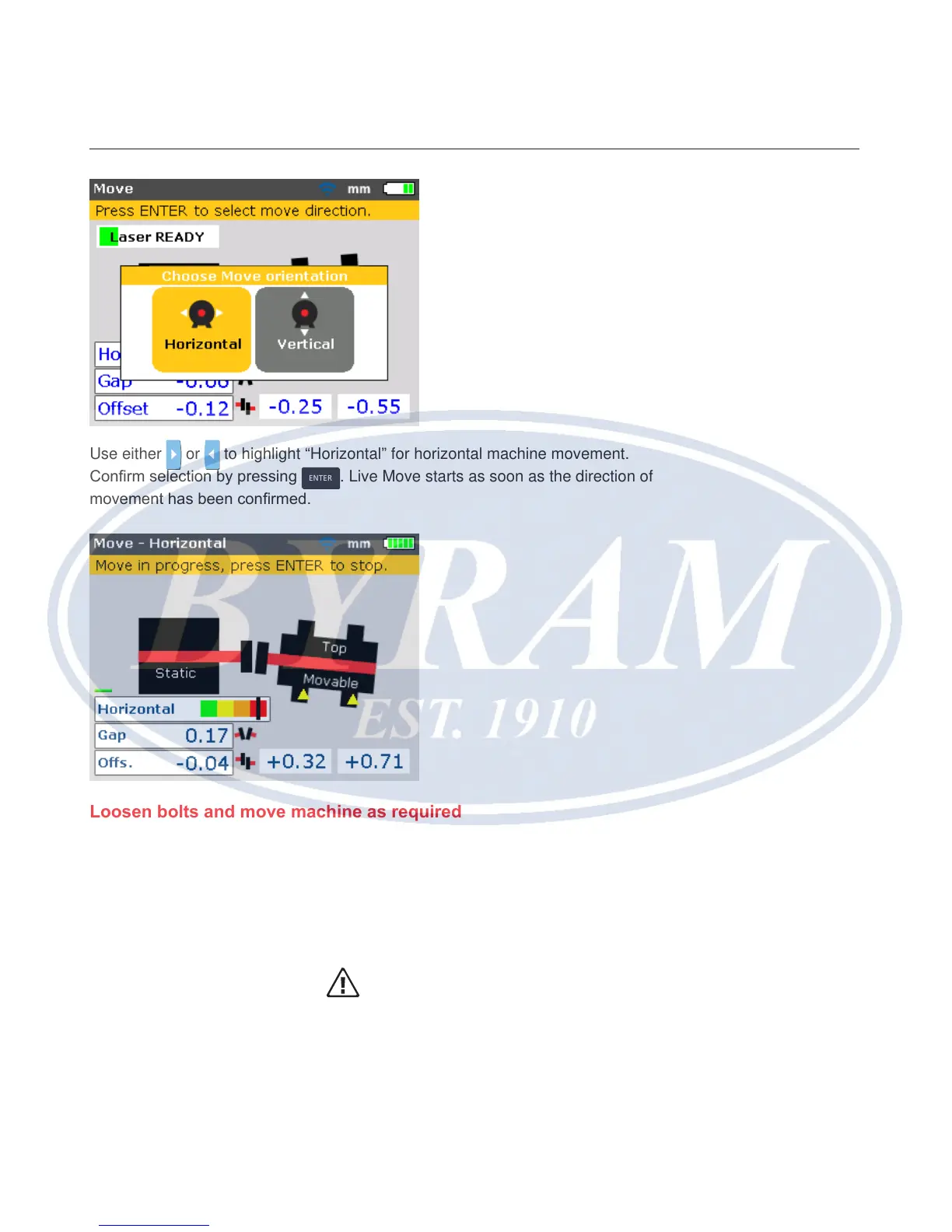
Use either or to highlight “Horizontal” for horizontal machine movement.
Conrm selection by pressing
ENTER
. Live Move starts as soon as the direction of
movement has been conrmed.
Loosen bolts and move machine as required
After loosening the anchor bolts, move the machine feet in the direction of the
apex of the yellow triangles, keeping an eye on the marking on the color-coded
tolerance bar. Watch the display screen carefully to ensure that machine end
and direction moved are correct. The marking on the color-coded tolerance bar
and the Product’s right LED also give an indication of the alignment status as the
machine is moved. (Refer to the tolerances table on page 133.)
Caution
Do NOT attempt to move the machine using heavy sledgehammer blows.
This can cause bearing damage, and also produce inaccurate Move re-
sults. Jack bolts on the feet or other mechanical or hydraulic devices are
recommended for moving machines.



 To Next Page