l
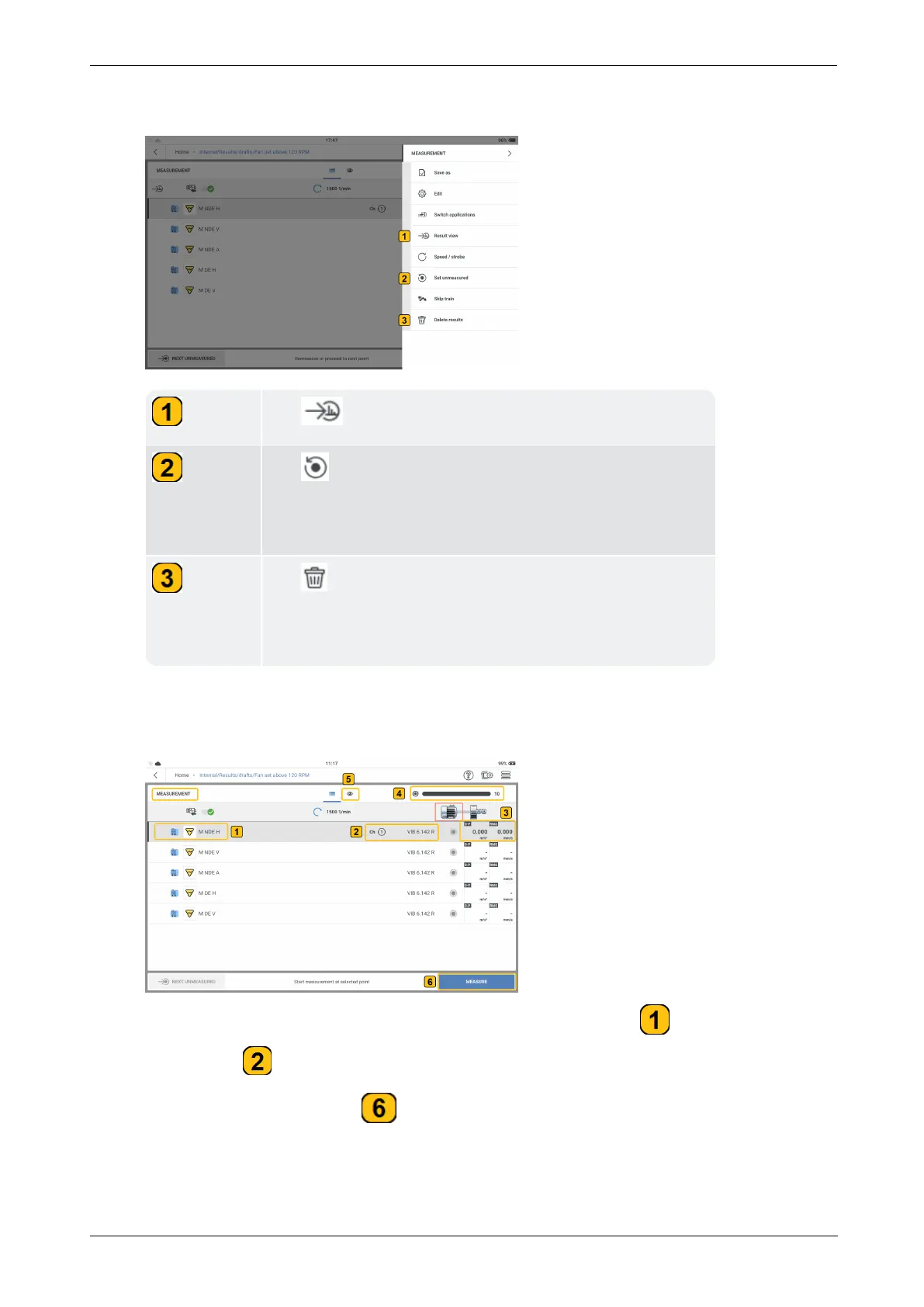
When a location HAS BEEN measured, these menu items are shown:
Tap to see results of the selected location.
Tap to change the status of the selected location to
unmeasured, then tap SET to make sure the status
changes.
Tap to delete results of selected location then tap
ALL or LAST; ALL deletes all results related to the meas-
ure location; LAST deletes results last measured.
l
With the magnetic adapter attached to the necessary sensor and the related cable,
mount the sensor to the machine to be measured, then connect the cable to the neces-
sary channel on VIBXPERT 3.
In the previous example, vibration is to be measured at location . Channel 1 is used
to measure ( ).
l
To measure, tap MEASURE ( ). Alternatively, press either of the two yellow device
ENTER buttons.
44 Version:1.0
On-board help



 To Next Page