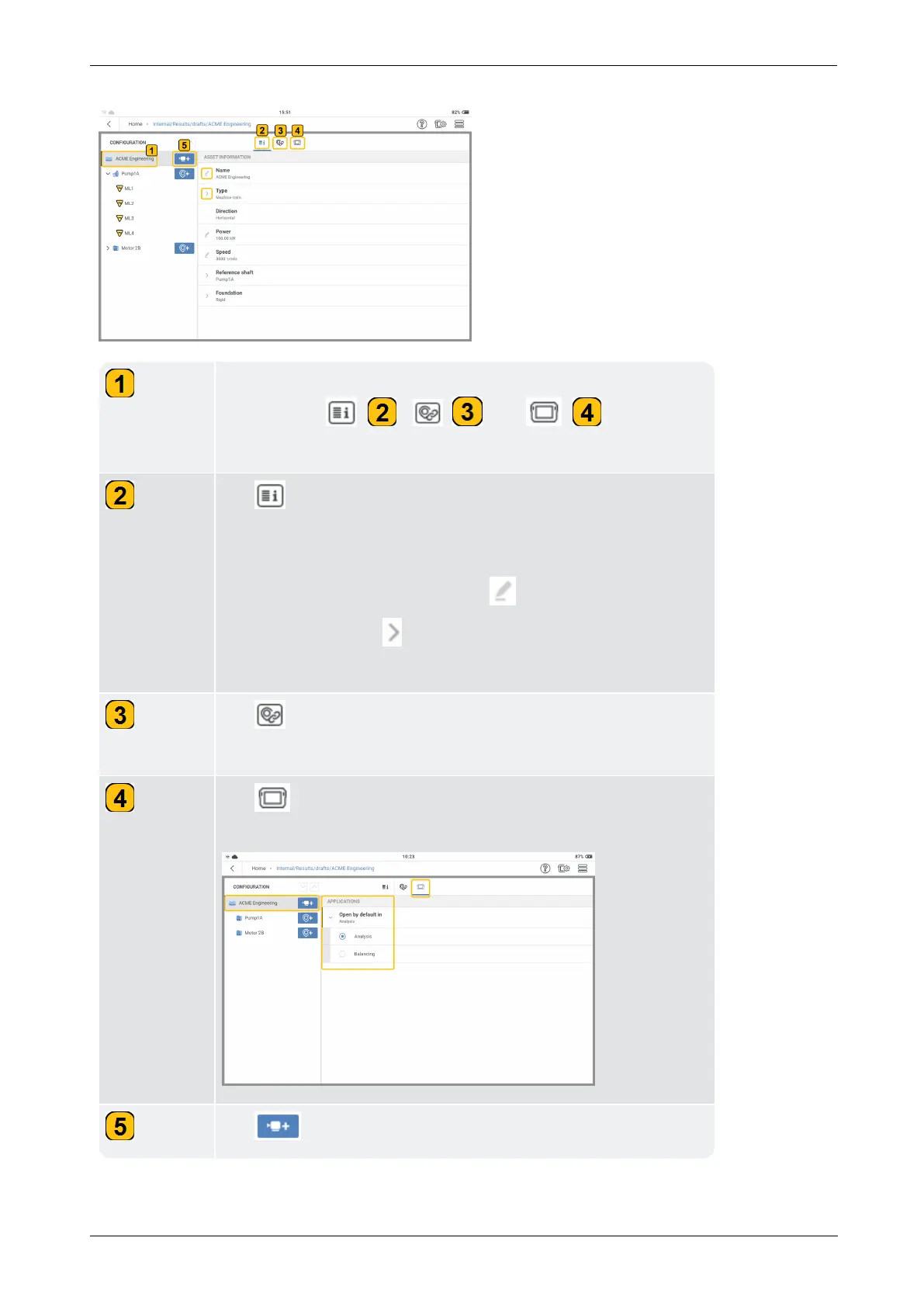
Tap machine train level to edit asset. At machine train level,
function tabs ( ), ( )
and ( )
are shown
and can be used.
Tap to edit asset name (
Name
), type of asset (
Type
), ori-
entation of asset (Direction), asset Power, asset RPM
(Speed), Reference Shaft, and type of Foundation.
To edit this information, either tap then enter required val-
ues or name, OR tap and use the drop-down menu to select
desired item.
Tap to create measure location groups. This function helps
compare results for the selected locations.
Tap to set the default application for the asset template
when opened.
Tap to add a machine to the hierarchy.



 To Next Page