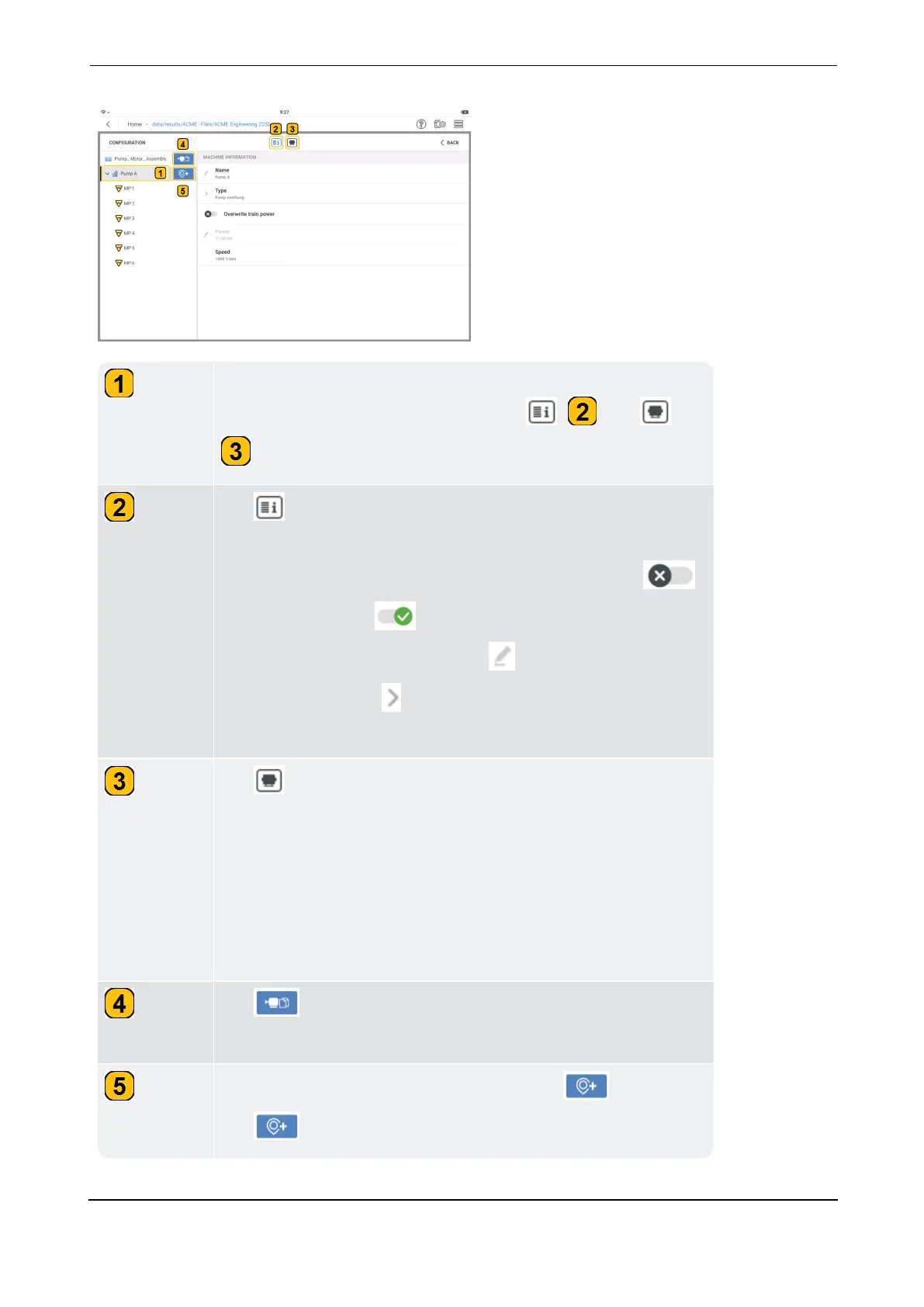
Tap desired machine to edit machine information and machine
model. At machine level, function icons ( ) and (
) are shown and can be used.
Tap to edit selected measure name (
Name
), type of
machine (Type) and machine Power. To edit machine power,
the
Overwrite train power
function must be on. Tap
to turn function on ( indicates on).
To edit this information, either tap then enter required val-
ues or name, OR tap and use the drop-down menu to select
desired item.
Tap to see the machine model.
A machine model simplifies the correlation between the vari-
ous and complex vibrations within a machine. The model
defines the machine components and includes type of bearing,
line frequency, speed ratio calculation and information to
required to find fault frequency and calculate speed at each
measure location.
Tap to duplicate the selected machine and the related
measure locations.
If no measure location is selected, this icon ( ) is shown.
Tap to add a measure location to the selected machine.



 To Next Page