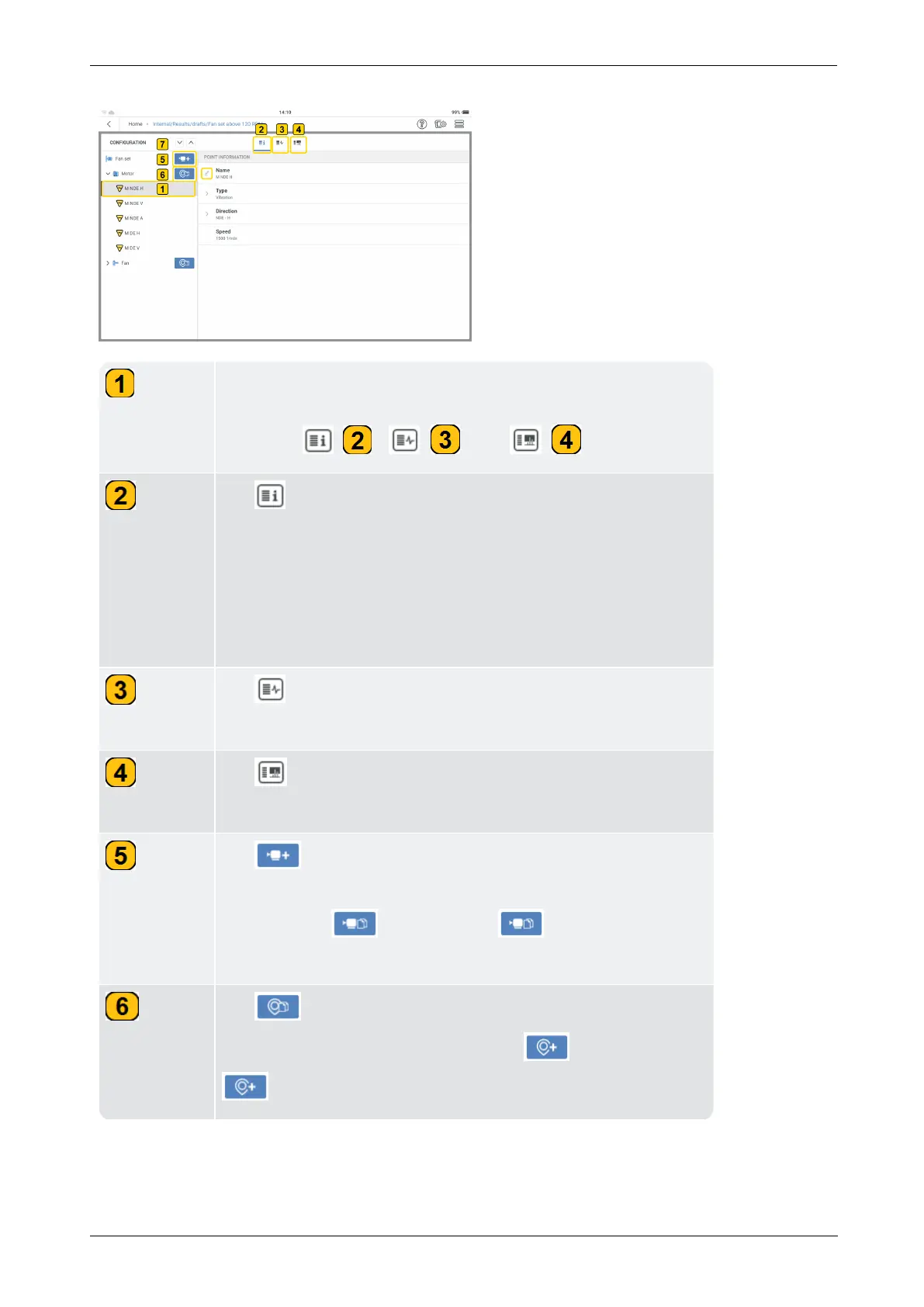
Tap desired measure location to edit measure location inform-
ation, add measure tasks and bands. The related function
icons are: ( ), ( ), and ( ).
Tap to edit selected measure location name (
Name
), type
of parameter to be measured at the location (Type), position
of measure location on machine (Direction) and the machine
RPM (Speed). The icon at the selected measure location
shows the type of parameter to be measured (refer to Para-
meter icons below).
Tap to see measure tasks related to the selected location
and/or add tasks for the selected location.
Tap to see bands related to the selected location and/or
add bands for the selected location.
Tap to add a machine to the tree. This option is available
only when a measure location is selected. If a machine is selec-
ted, this icon ( ) is shown. Tap to duplicate the
selected machine and the related measure locations.
Tap to duplicate the selected measure location. If no
measure location is selected, this icon ( ) is shown. Tap
to add a measure location to the selected machine.



 To Next Page