- 30 -
CONTROLS AND INDICATORS
3
Trip Computer
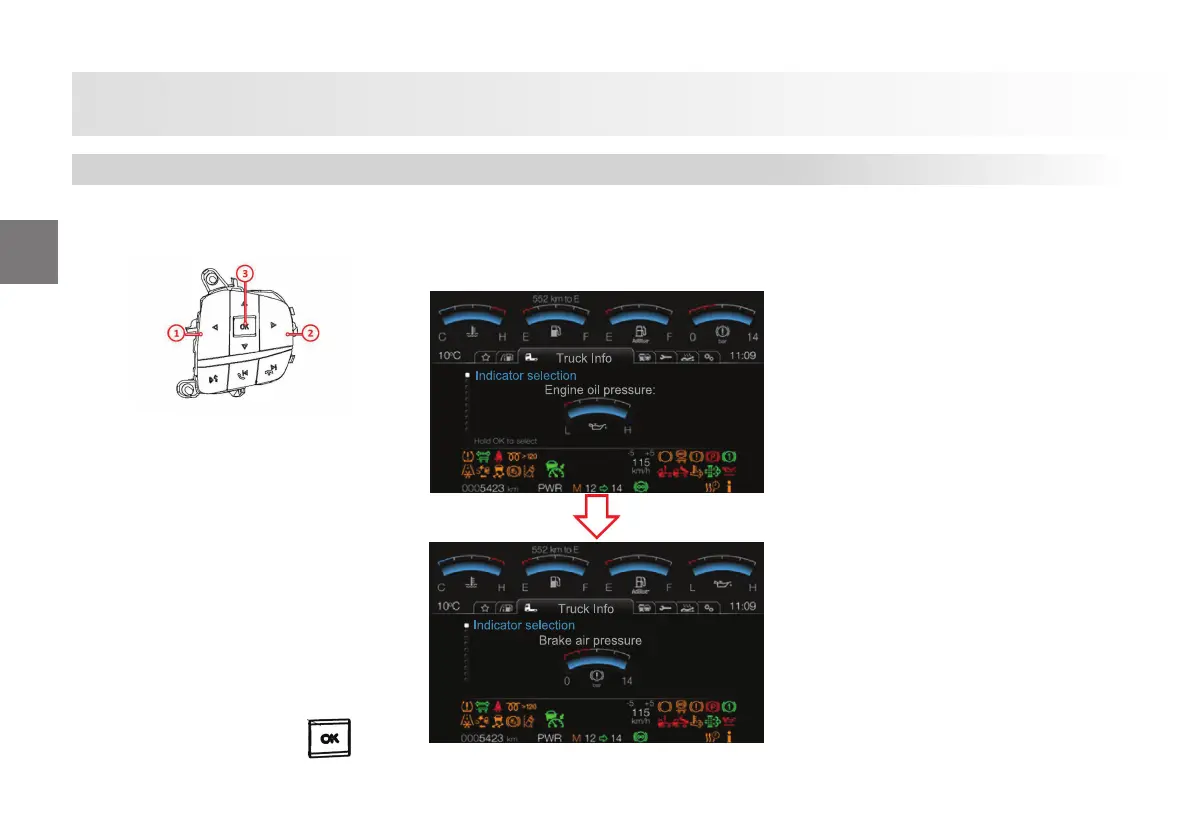
Trip computer shows the information and
the warnings. Trip computer data may
be changed by the control panel on the
steering wheel.
1-Le Direction Key: Allows returning to
an upper menu and moving to the le in
the menus.
2-Right Direction Key: Allows moving to
the right in the main menus.
3-OK Key: This key, which may be pushed
up and down, allows easy up and down
navigation in the menus.
Also, it allows entering the menus
and using the “OK” function in the menus
required.
When you press and hold the
key,
and navigate to Indicator Selection from
the Vehicle Information Menu, and press
and hold the OK key, the upper right
indicator is selected as one of the brake air
pressure or engine oil pressure.
Trip Computer













 To Next Page