Framery 2Q Huddle
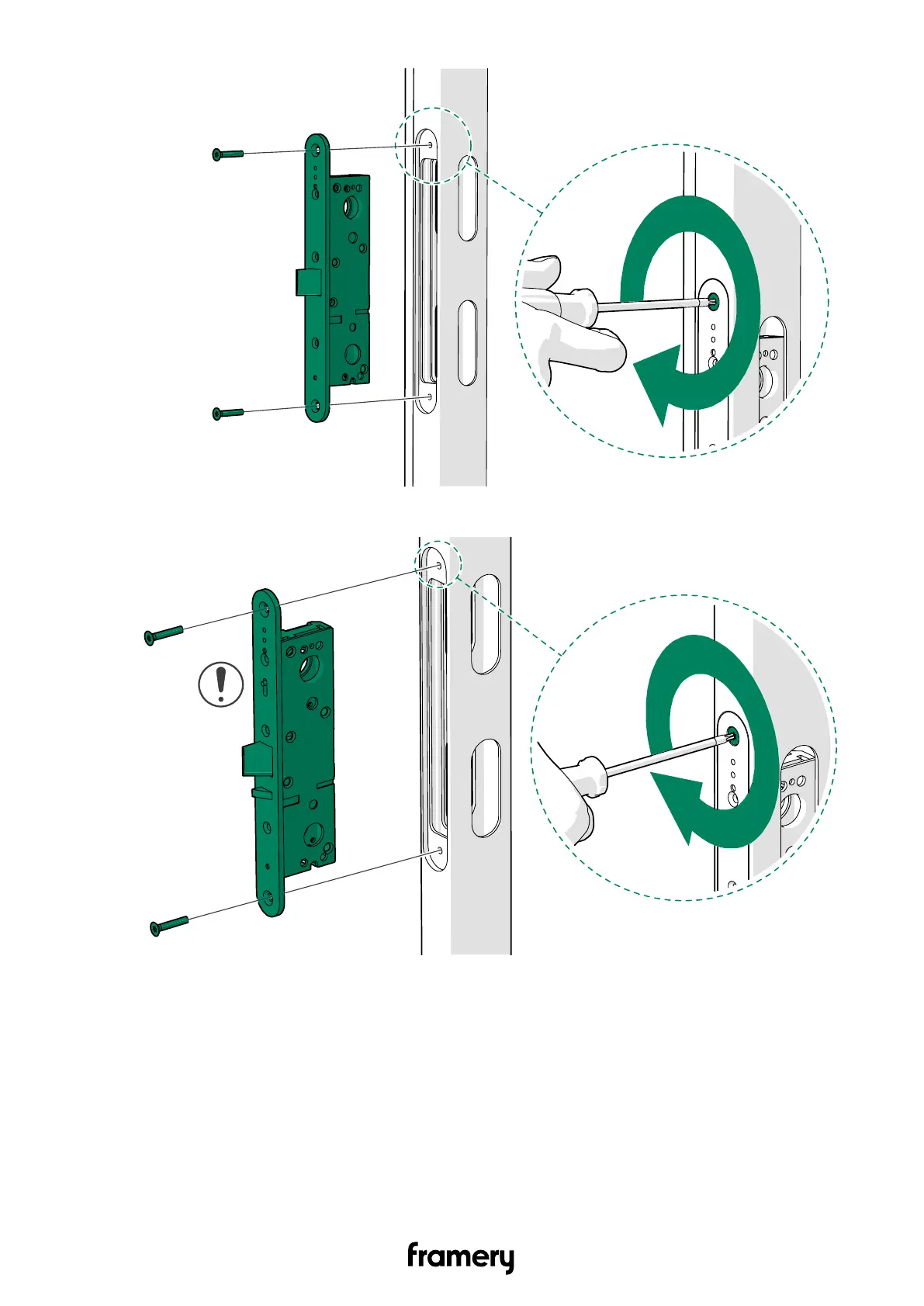
Figure 4: Standard lock case
Figure 5: Lock case with Smart lock kit
13.5 Install the door handle
If you intend to install a smart lock handle to the door, see Install the smart lock handle.
1. Remove the protective plastic on the inside of the door.
110
Installation instructions
info@frameryacoustics.com


 To Next Page