Framery 2Q Huddle
6.3 Install the wall modules and the roof of the front half of the pod
6.3.1 Install the support beam to the wall modules (front)
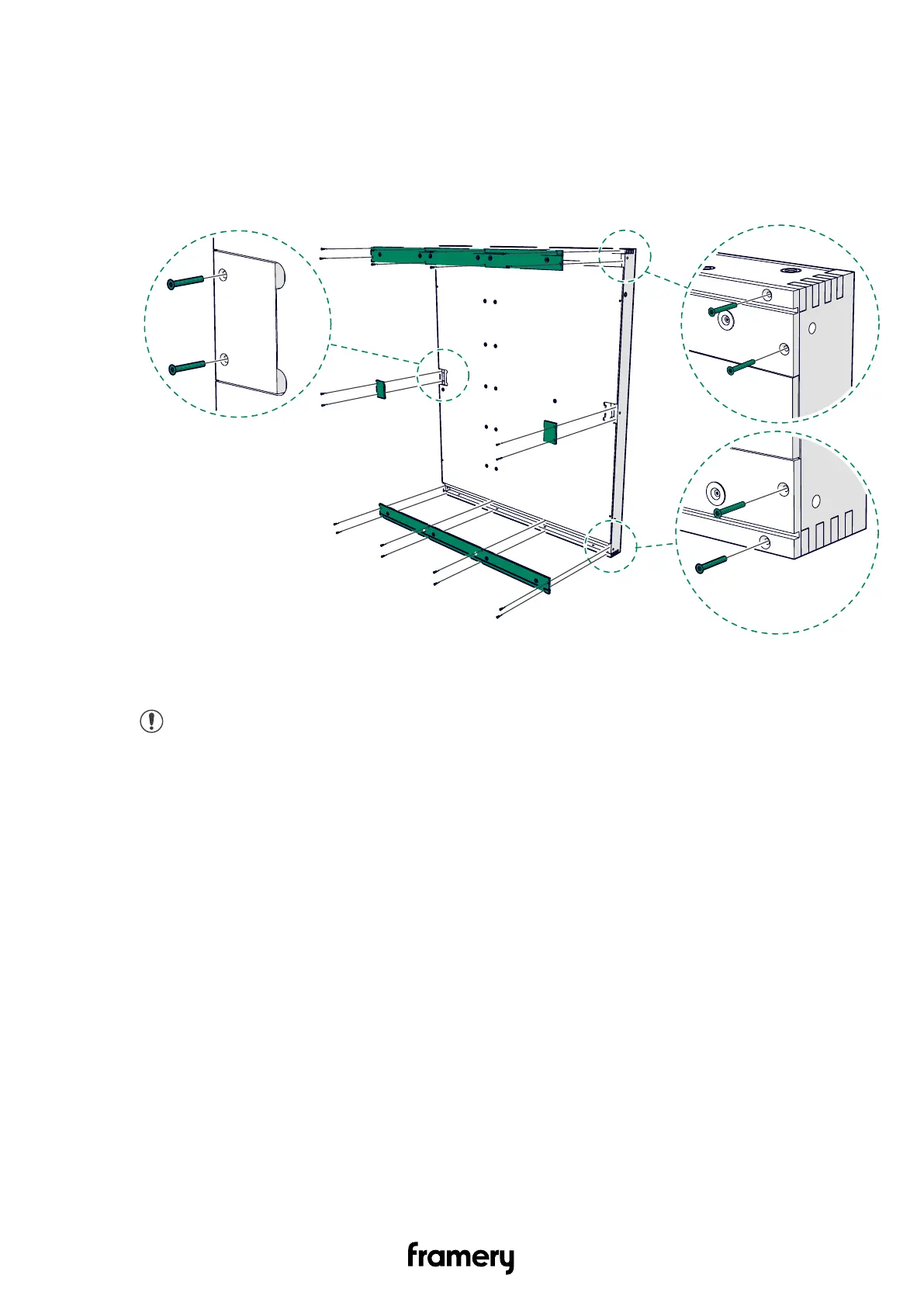
1. Unscrew the 4x30 screws (20 pcs) and remove the cover panels (8 pcs). Set the cover
panels and screws aside.
2. Stand one of the wall modules on the floor board and the other on the outside of the
floor.
Note: Make sure that the black ABS strips are on the outer side of the wall
modules.
Installation instructions
info@frameryacoustics.com
41


 To Next Page