Framery 2Q Huddle
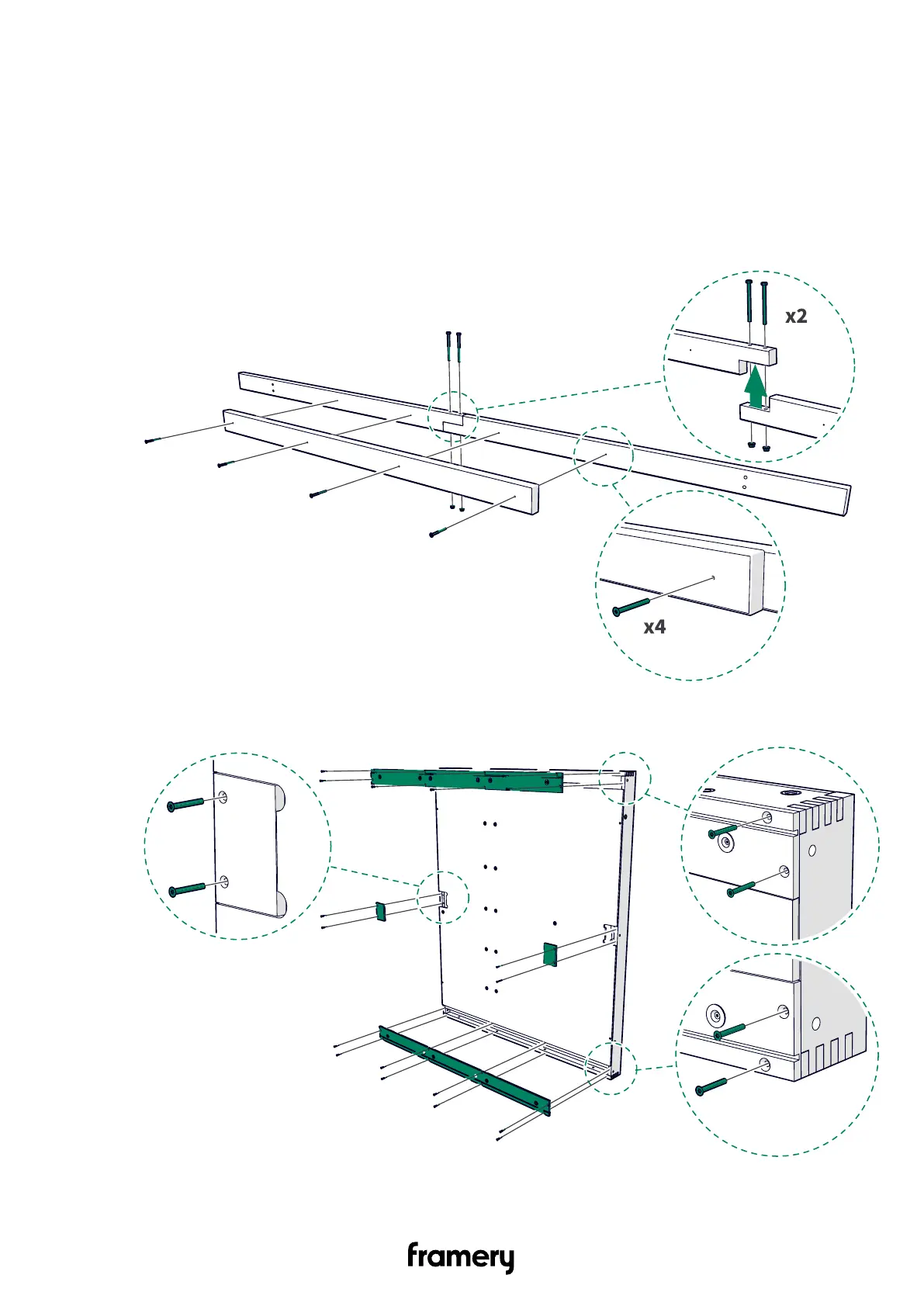
5.3 Install the wall modules and the roof of the back half of the pod
5.3.1 Install the support beam to the wall modules (back)
1. Install two support beam pieces together with M8x90 bolts (2 pcs) and flanged M8 nuts
(2 pcs). Install the extra support with 5x50 screws (4 pcs) in the middle of the support
beams.
Assemble two support beams.
2. Unscrew the 4x30 screws (20 pcs) and remove the cover panels (8 pcs). Set the cover
panels and screws aside.
Installation instructions
info@frameryacoustics.com
27


 To Next Page