Framery 2Q Huddle
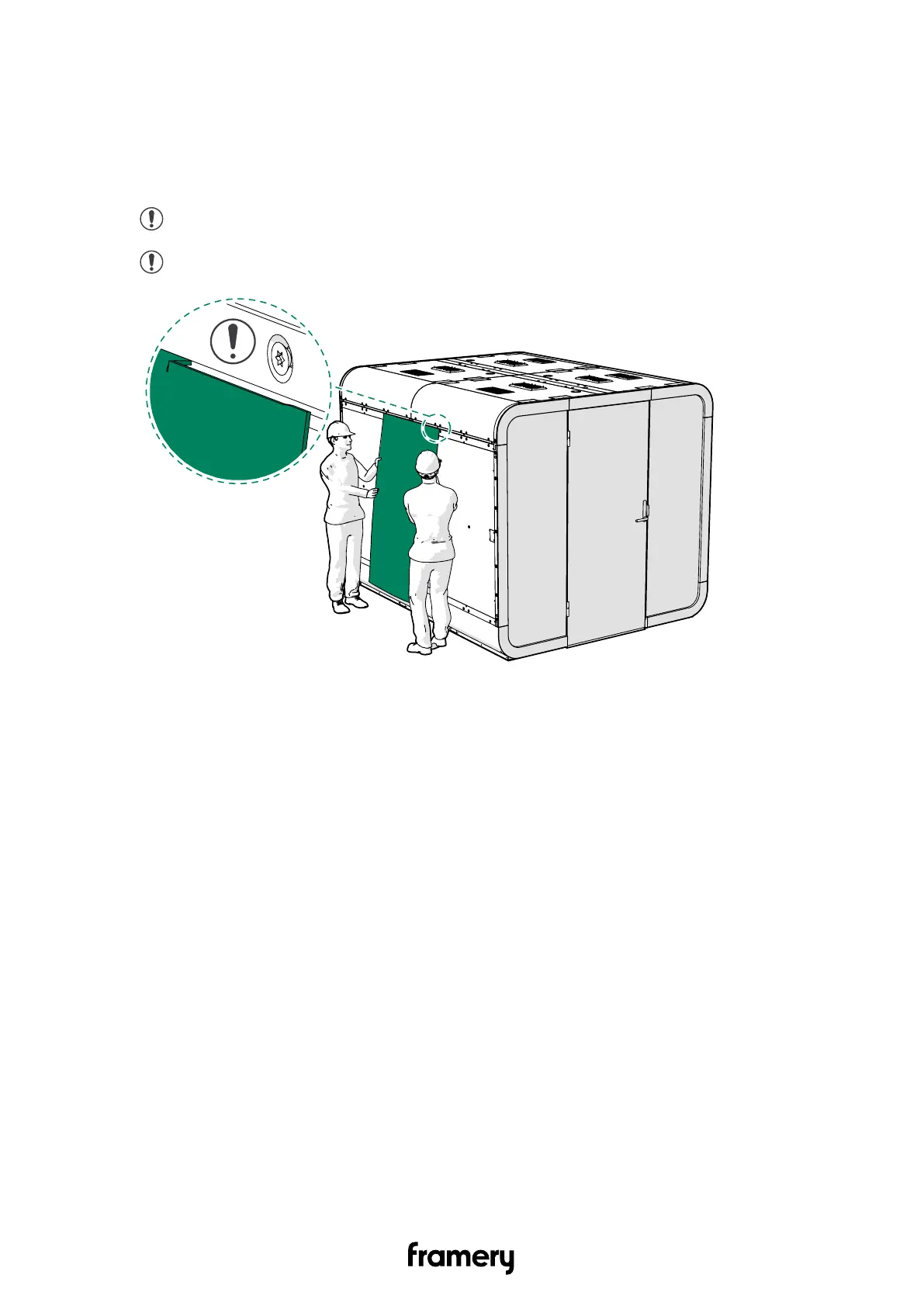
15.5 Install the wall body covers
1. Install the center body covers on both sides of the pod.
Place the upper fold of the body cover against the wall of the pod and slide it into the
upper installation groove.
Note: Make sure that the cover has flanged edges.
Note: Use a plastic chisel, if you must remove the cover.
Installation instructions
info@frameryacoustics.com
171


 To Next Page