Framery 2Q Huddle
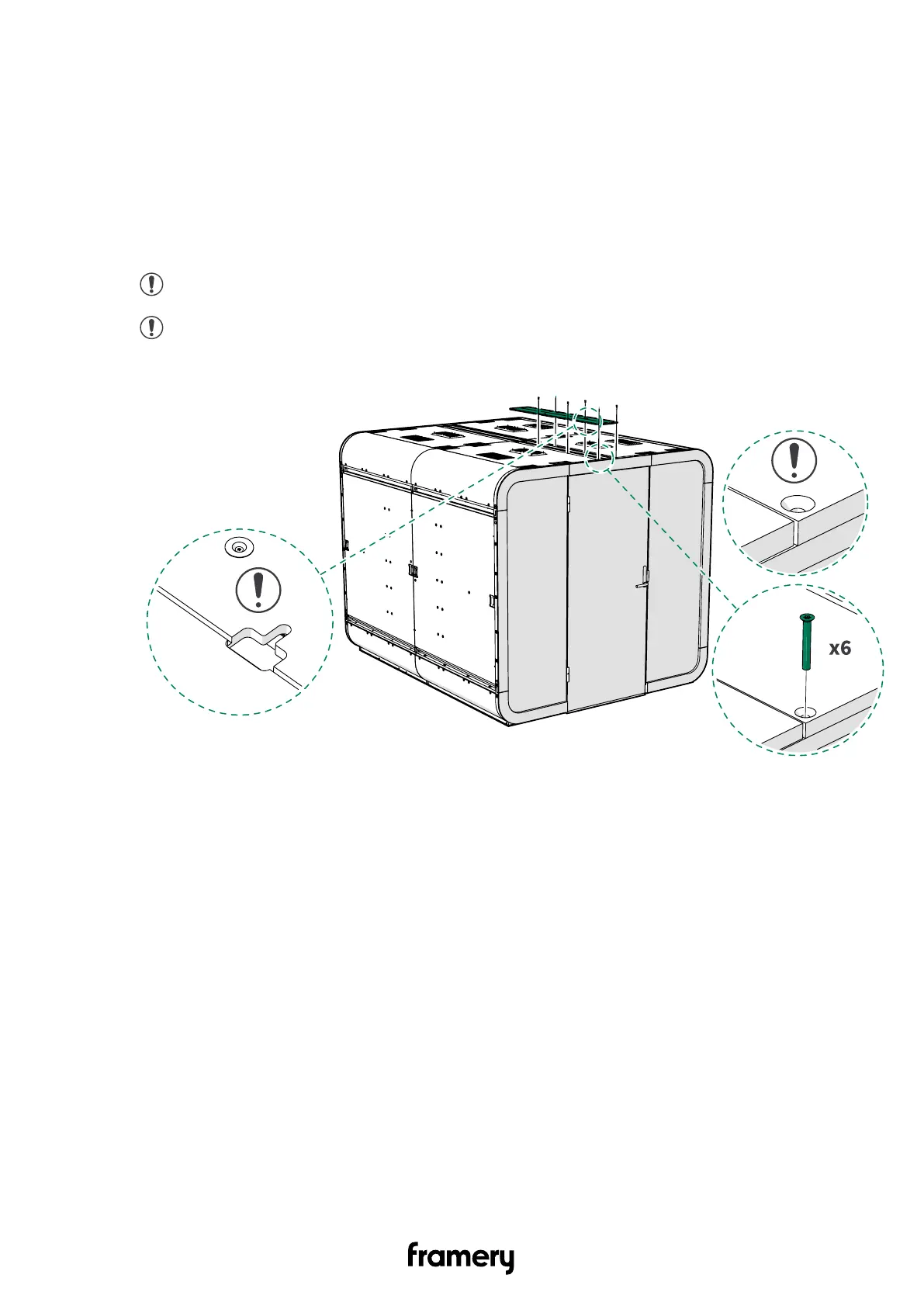
15 Install the cover panels and the body covers
15.1 Install the roof cover panels
1. Install the roof cover panel to the front half of the roof with 4x30 screws (6 pcs).
Push the cords into the electrical channel.
Note: Place the countersunk holes upwards. Use the existing screw holes.
Note: Do not lean against the roof. Make sure that your ladder is high enough.
166
Installation instructions
info@frameryacoustics.com


 To Next Page