Framery 2Q Huddle
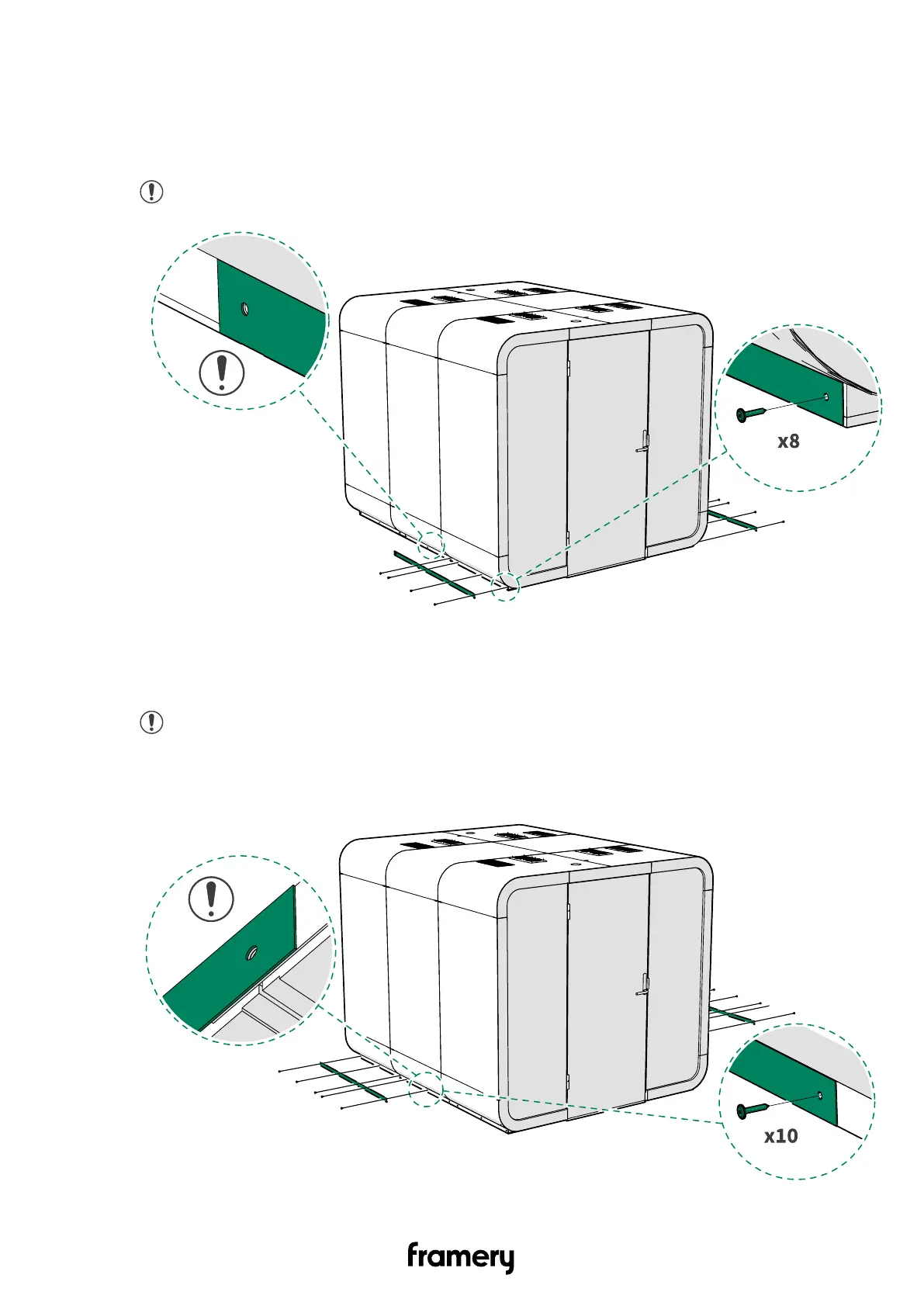
15.7 Finalize the installation of the body covers
1. Install the black cover plate on each side of the front half of the pod floor with black
wronic 4.2x25 screws (4 pcs).
Note: Do not install the screw in the middle of the pod.
2. Install the black cover plate on each side of the back half of the pod floor with black
wronic 4.2x25 screws (5 pcs).
Note: The back cover partly overlaps the front cover. Install the screw in the
middle of the pod through both back and front covers.
Installation instructions
info@frameryacoustics.com
177


 To Next Page