Framery 2Q Huddle
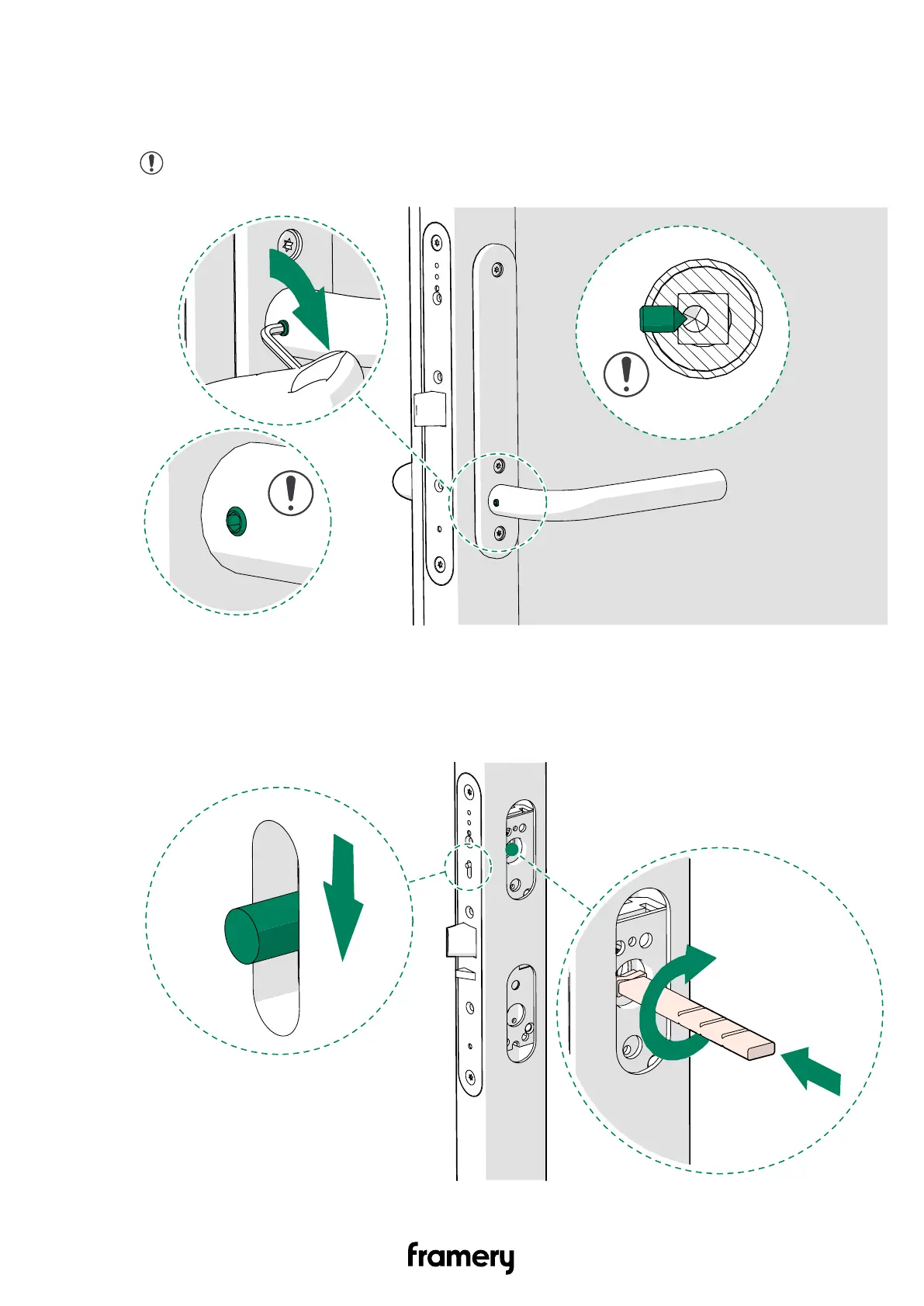
6. Tighten the set screw on the inside handle.
The resistance increases steadily until the screw pierces the spindle. You can feel the
resistance stop when the set screw pierces the spindle.
Note: In the final position, the head of the set screw is slightly above the
handle surface.
13.6 Install the smart lock handle (optional)
1. Turn the twist spindle in the upper opening in the door and press sliding snib down to
the middle position to avoid the door from locking.
Installation instructions
info@frameryacoustics.com
113


 To Next Page