Framery 2Q Huddle
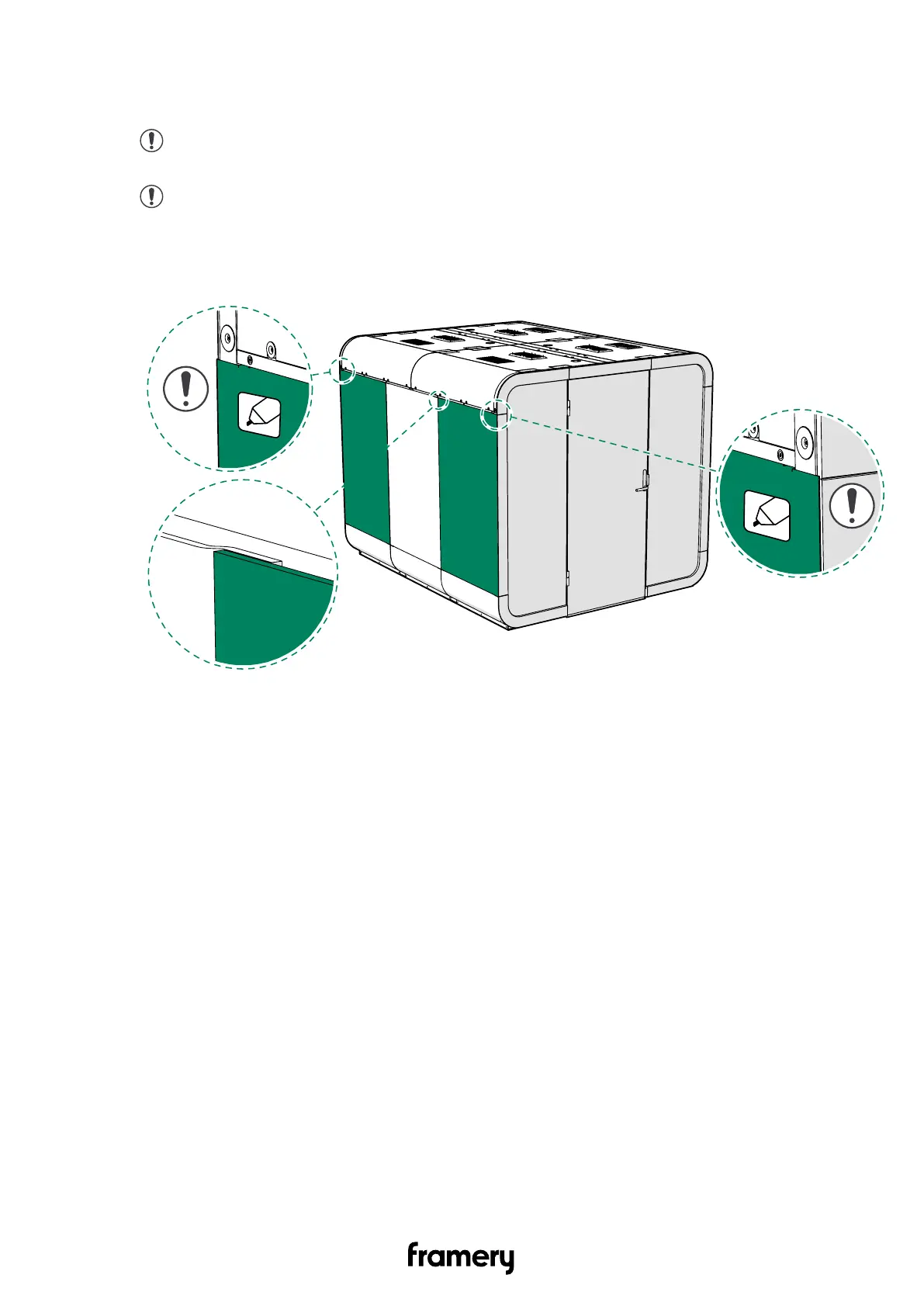
3. Install the wall body covers (2 pcs each side) on the edges of the wall of the pod.
Guide the edges of the covers against the flanges in the middle cover.
Note: If you are installing the optional whiteboard body covers, make sure that
the sticker is in the upper outer corner when you install the wall body cover.
Note: Make sure that the wall body covers are installed evenly and aligned
correctly with the other body covers. Use a white rubber mallet to tap the wall
covers into alignment if needed.
Installation instructions
info@frameryacoustics.com
173


 To Next Page