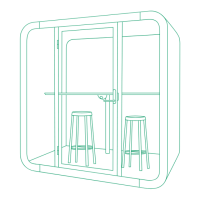
Framery 2Q Huddle
6.3.1 Install the support beam to the wall modules (front)................................ 41
6.3.2 Install the front half of the roof to the wall modules................................. 42
6.3.3 Install the combined roof and walls to the floor (front)............................. 45
7 Connect the back and front halves of the pod.......................................47
7.1 Check the straightness of the pod halves after connecting..................................50
8 Install the back frames and glasses........................................................56
8.1 Install the left-hand frames...................................................................................56
8.2 Install the first side glass and the center glass.................................................... 59
8.3 Install the right-hand frames and the other side glass......................................... 60
8.4 Finalize the installation of the back frames and glasses......................................63
9 Install the carpet........................................................................................65
10 Install the front frames and glasses......................................................66
10.1 Install the corner and side frames......................................................................66
10.2 Install the control panel...................................................................................... 68
10.3 Install the booking system bracket (optional)..................................................... 72
10.3.1 Install the USB cord into the strike plate-side glass frame (optional)......73
10.3.2 Install the booking system bracket (optional)......................................... 74
10.3.3 Install the 5V unit (optional)................................................................... 80
10.4 Install the side glasses.......................................................................................84
10.5 Install the front center frame.............................................................................. 88
10.6 Finalize the installation of the front frames and glasses.................................... 89
11 Install the control unit.............................................................................90
12 Install the control panel cord and the ceiling threshold......................93
13 Install the door.........................................................................................99
13.1 Install the floor threshold....................................................................................99
13.2 Install the door..................................................................................................100
13.3 Adjust the closing speed of the door............................................................... 103
13.4 Install the lock case..........................................................................................109
13.5 Install the door handle......................................................................................110
13.6 Install the smart lock handle (optional)............................................................ 113
13.6.1 Adjust the strike plate...........................................................................120
13.6.2 Check the lock function........................................................................121
13.7 Adjust the door height...................................................................................... 124
13.8 Adjust the automatic door seal.........................................................................127
14 Install the interior and electrics........................................................... 129
14.1 Install the metal box to the table top................................................................129
14.2 Install the power outlet to the table top............................................................134
14.3 Install the wall bracket and table legs..............................................................136
14.4 Install the power outlet on the table.................................................................138
14.5 Install the power cord from the roof................................................................. 141


 To Next Page