144
Replacing the dis-
play PC board -
Recerbo
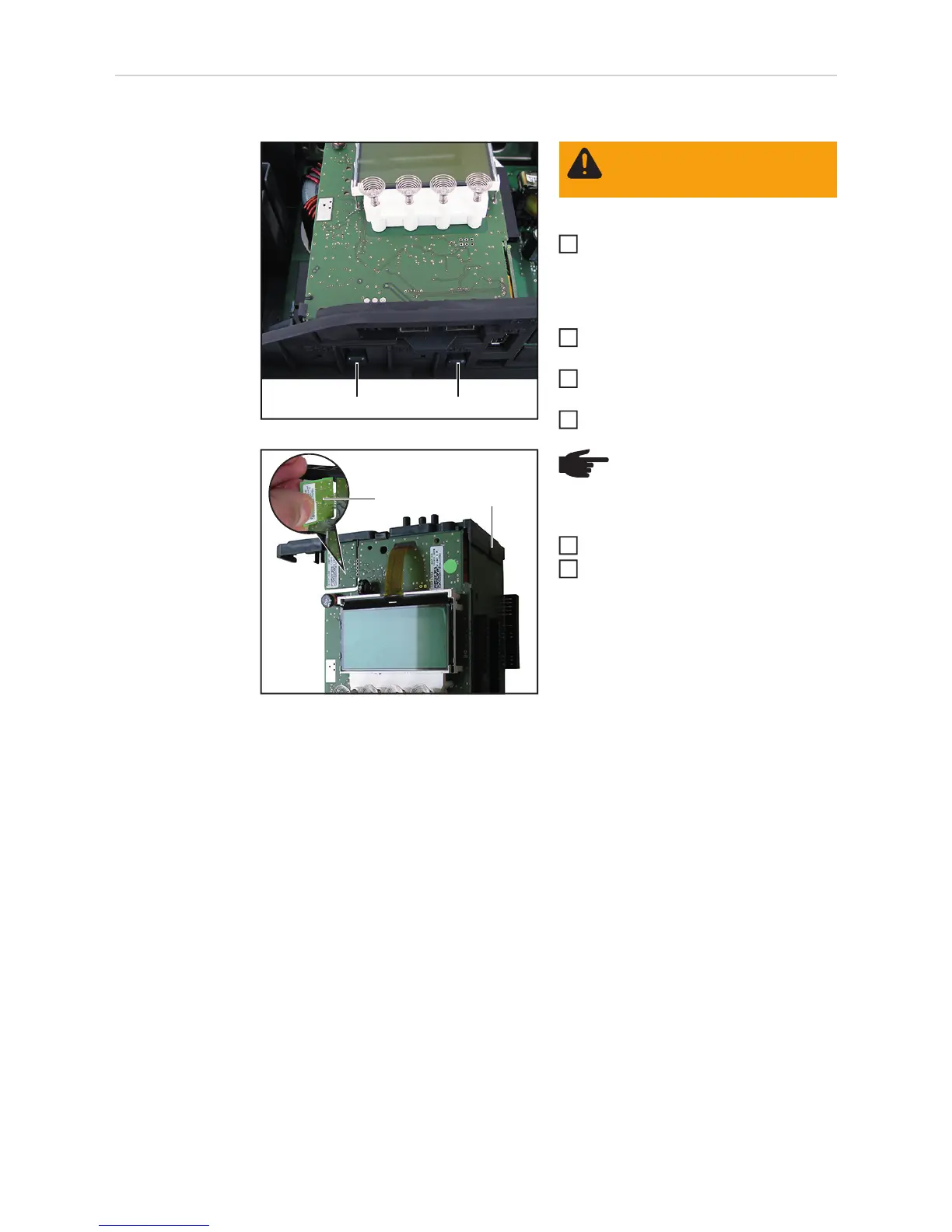
Removing the Recerbo:
Take the inverter out of the wall bra-
cket, open it and remove the Datama-
nager card (see "Opening and closing
the device" and "Replacing the Data-
manager card" sections)
Disconnect all connections from the
Recerbo
Push the Recerbo holder locking de-
vices (1) upwards
Remove the Recerbo module
Take the holder (2) off the Recerbo
Break off the device data unit (3) from
the faulty Recerbo
(1)(1)
WARNING! Observe the safety
rules (see the beginning of the
"Safety" section)
1
2
3
4
(3) (2)
NOTE! Take care when carrying
out the next two steps not to dam-
age any of the components
6
7



 To Next Page