94
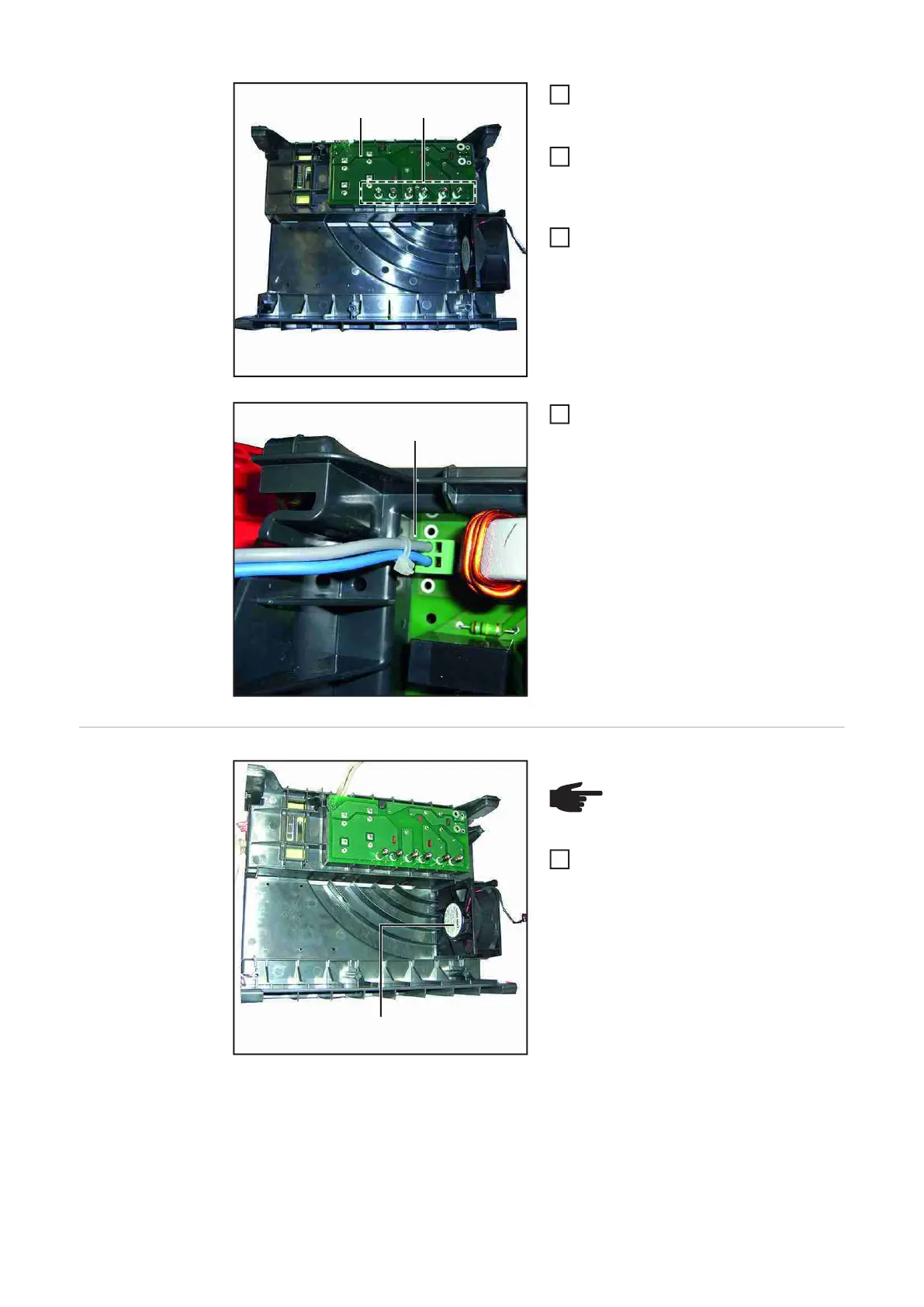
Remove the six spacers and screws
(5) from the faulty LC1800 PC board
(3)
Fit six spacers and screws (5) to the
new LC1800 PC board
Tightening torque = 2.1 Nm
Insert the LC1800 PC board (3)
Fit the leads (6) as shown and fit a ca-
ble tie
Replacing the
TP180
fan
Replacing the fan
Install the new fan (4)
- The arrow on the fan must point
backwards
- The fan leads must be on top and
facing the outside
(5)(3)
3
4
5
(6)
6
(4)
NOTE! Before installing the fan,
observe the direction of installa-
tion and cable routing
1










 To Next Page