PAPER HANDLING
User's Manual 3-7
In the next two cases, the number of cut sheets stacked in the printer may
be reduced depending on printing conditions and environments. Follow
the notes.
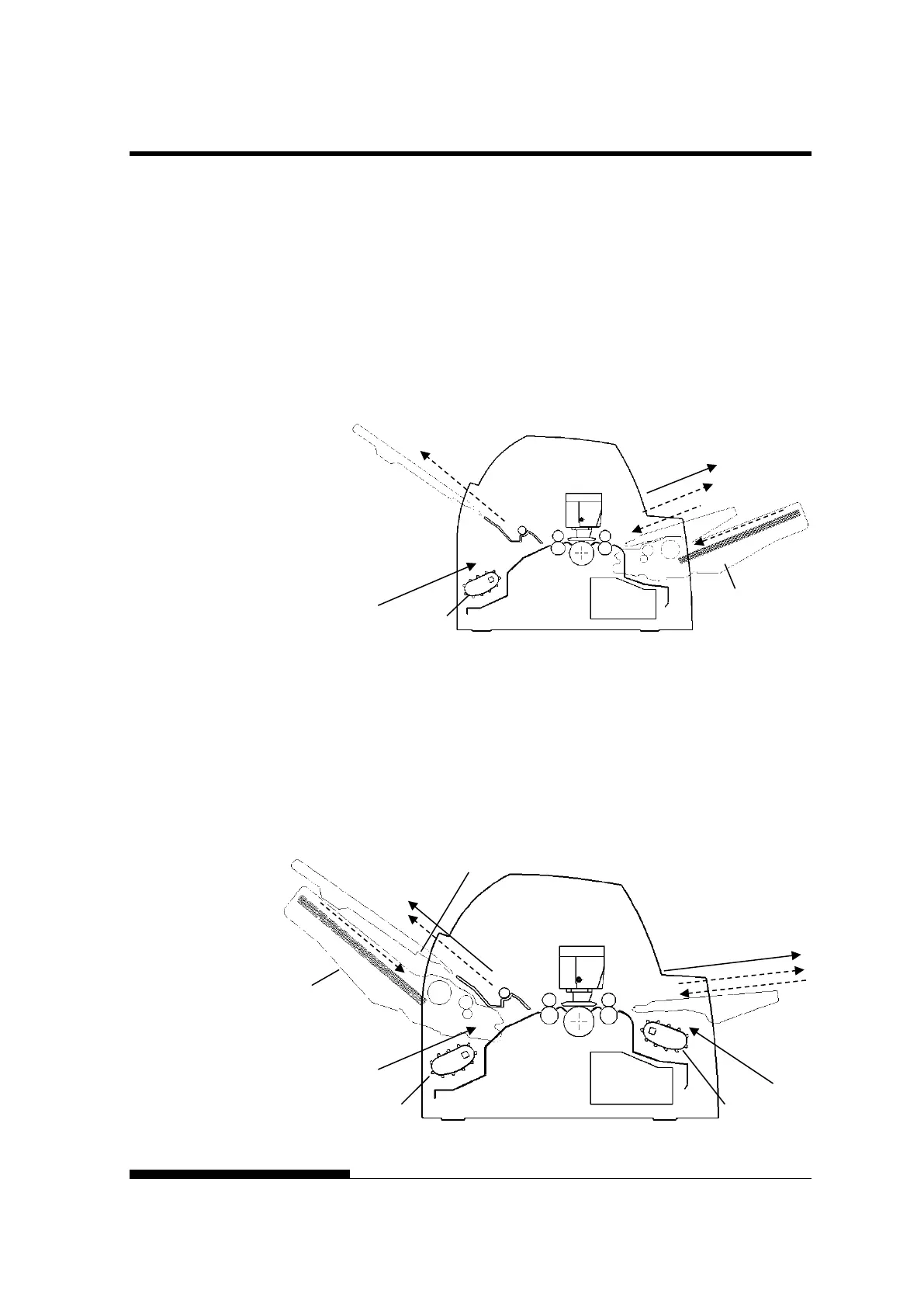
With rear tractor and front optional cut sheet feeder and
large stacker(optional) .
(2) Rear tractor → Print → Front eject
(3) Paper table → Print → Paper table
(4) Paper table → Print → Rear stacker
(5) Front cut sheet feeder → Print → Paper table
(6) Front cut sheet feeder → Print → Rear stacker
With front or rear tractor (either optional)and rear optional cut
sheet feeder and large stacker(optional).
In addition, the front and rear tractor (either is optional) can be mounted.
(1) Front tractor → Print → Rear eject
(2) Rear tractor → Print → Front eject
(3) Paper table → Print → Paper table
(4) Paper table → Print → Rear stacker
(7) Rear cut sheet feeder → Print → Paper table
(8) Rear cut sheet feeder → Print → Rear stacker
Large stocker



 To Next Page