129
How to operate the Sound Adjustment Mode
IX
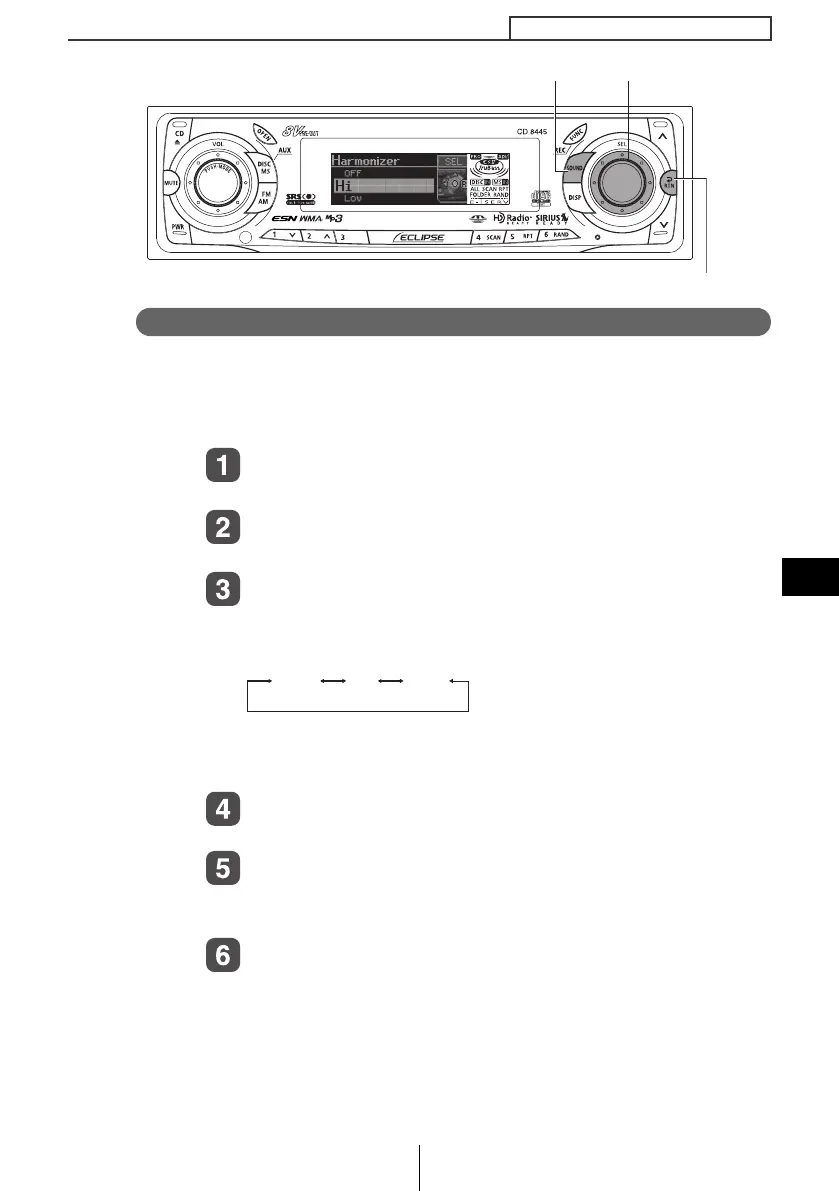
Multi-harmonizer settings (Harmonizer)
This function uses harmonic synthesis to restore the high-frequency
component that is lost as a result of the compression process so
that fresher sound can be obtained during MP3 /WMA, Memory
Stick (ATRAC3) playback.
Turn the [SEL] button to select Harmonizer.
The selected item will be highlighted.
Press the [SEL] button.
The mode will change to multi-harmonizer setting mode.
Turn the [SEL] button to select the setting item.
When the button is turned, the setting item changes in the
following order and the selected item is highlighted.
Hi: High effectiveness
Low: Low effectiveness
Press the [SEL] button.
The selected settings will take effect.
Press the [RTN] button.
At this time, other adjustments can also be made in normal
mode.
Press the [SOUND] or [RTN] button to exit sound
adjustment mode.
[SOUND] button
[RTN] button
[SEL] button
OFF Hi Low
CD8445.book 129 ページ 2004年12月13日 月曜日 午前11時30分



 To Next Page