149
How to operate the Sound Adjustment Mode
IX
Importing Sound Data
Sound data adjusted by the E-iSERV website can be downloaded to
a CD-R or a Memory Stick and imported into the deck.
Turn the [SEL] button to select Sound Data.
The selected item is highlighted.
Press the [SEL] button.
The mode will change to Sound Data mode.
Turn the [SEL] switch to select media types.
When the button is turned, the setting item changes in the
following order.
Disc → Memory Stick
Press the [SEL] button.
The front panel automatically opens.
Insert a CD-R or a Memory Stick.
Turn the [SEL] button to select the file.
The selected item will be highlighted.
Press the [SEL] button.
Select from buttons [1] through [5], and press and
hold for 2 seconds or more to save to the unit.
The selected file is written to the selected button.
When using a CD-R, the CD-R will eject automatically when
writing is complete.
The display will return to the file selection screen.
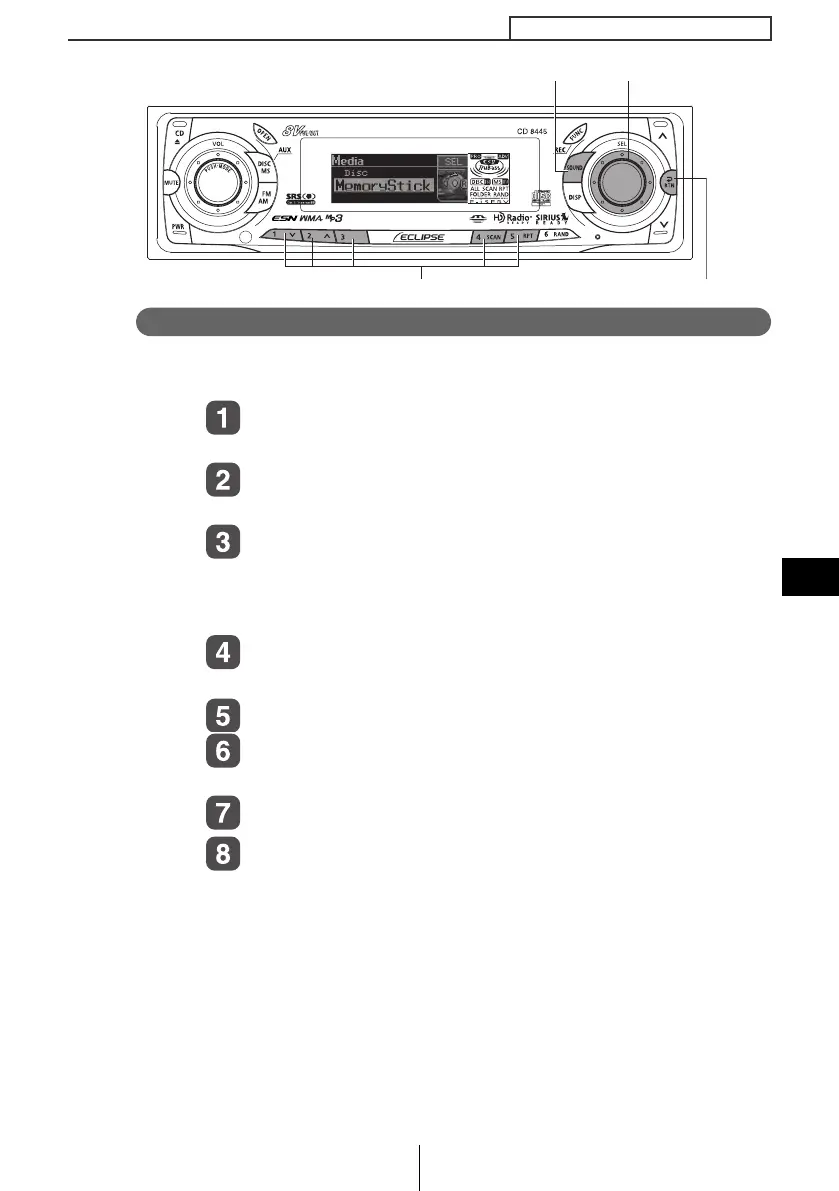
[SOUND] button
[RTN] button
[SEL] button
Button [1] to [5]
CD8445_09_E.fm 149 ページ 2004年12月16日 木曜日 午後5時25分



 To Next Page