71
Basic operation
IV
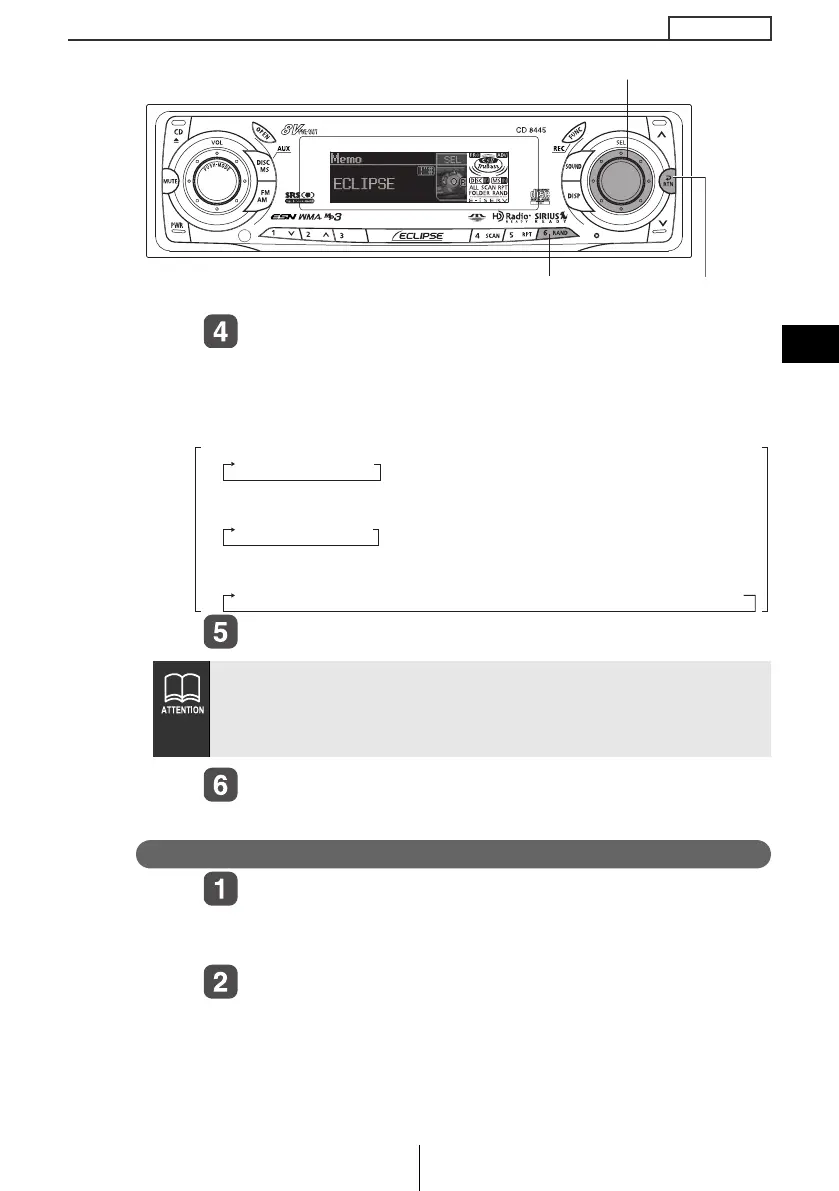
Turn the [SEL] button to the left or right to select
characters.
Turn to the right: Advances the character forward in its type.
Turn to the left: Moves the character backward in its type.
Press the [SEL] button to select characters.
Press the [RTN] button.
Memo settings are now completed.
Deleting a memo
Press the number button corresponding to the
memo to be deleted for more than two seconds
while the power is turned off.
Press the [6] button for more than two seconds.
The memo will be deleted.
● To change the type of character to be entered, repeat steps 2
and 3.
● A maximum of 10 characters may be entered per memo.
● A maximum of 5 memos may be stored.
[SEL] button
[RTN] buttonButton [6]
[Symbol] Initial value [!] [Right direction]
!¡ " ¡ # ¡ $ ¡ % ¡ & ¡ ’ ¡ ( ¡ ) ¡ * ¡ + ¡ , ¡ – ¡ . ¡ / ¡ : ¡ ; ¡ < ¡ = ¡ > ¡ ? ¡ @ ¡ ´ ¡ _
[Upper-case alphabet characters] Initial value [A] [Right direction]
A¡ B ¡ C¡
...
X¡ Y ¡ Z
[Numeric characters] Initial value [1] [Right direction]
1 ¡ 2 ¡ 3 ¡
...
8 ¡ 9 ¡ 0
CD8445.book 71 ページ 2004年12月13日 月曜日 午前11時30分



 To Next Page