145
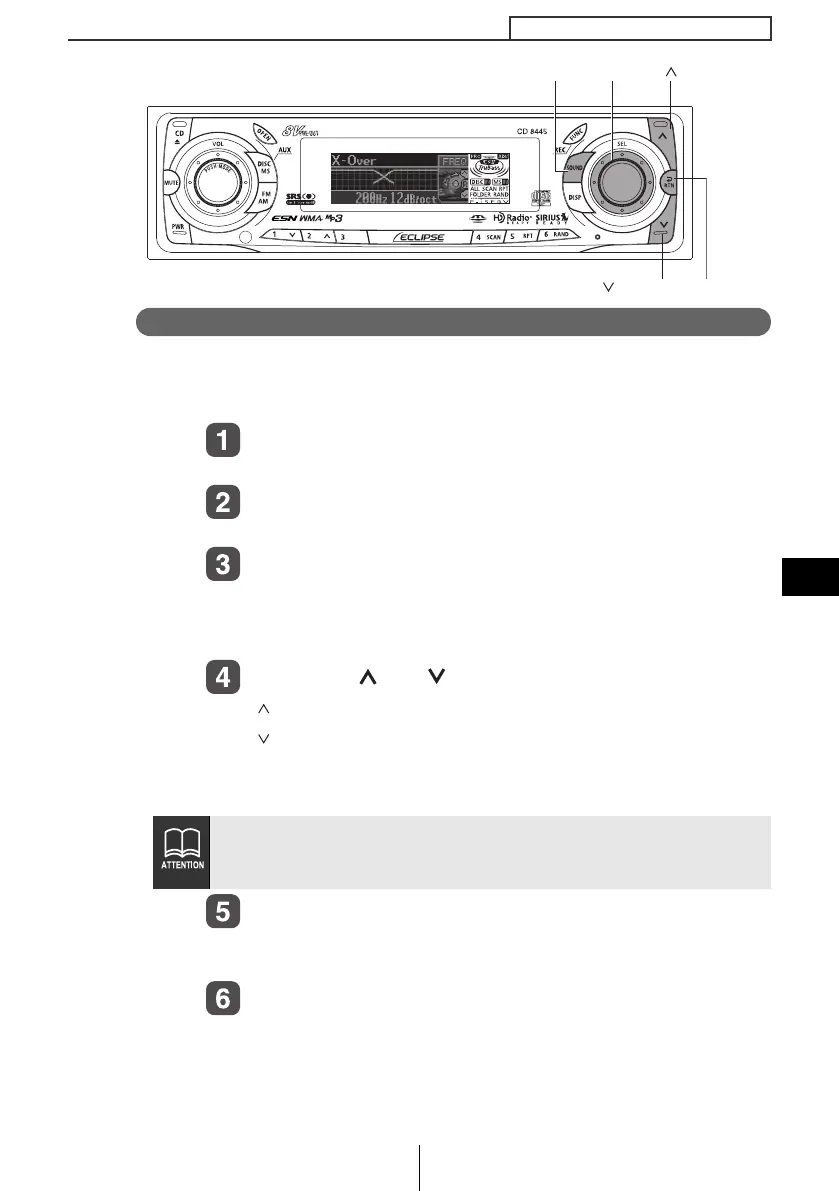
How to operate the Sound Adjustment Mode
IX
Crossover adjustment (X-Over)
The frequencies for the front and rear speaker high-pass filter (HPF)
and woofer low-pass filter (LPF) can be set within a range of 63 to
200 Hz. (This is the same as the HPF and LPF cutoff frequencies.)
Turn the [SEL] button to select X-Over.
The selected item will be highlighted.
Press the [SEL] button.
The mode will change to crossover setting mode.
Turn the [SEL] button to select the cut-off frequency.
When the button is turned, the frequency changes in the
following order.
63Hz
↔ 80Hz ↔ 100Hz ↔ 125Hz ↔ 160Hz ↔ 200Hz ↔
Press the [ ] or [ ] buttons to set the slope.
[ ] button : The slope becomes more gentle.
[ ] button : The slope becomes steeper.
The slope can be set to "PASS", "6dB/oct", "12dB/oct", "18dB/
oct" or "24dB/oct".
Press the [RTN] button.
At this time, other adjustments can also be made in advance
mode.
Press the [SOUND] or [RTN] button to exit sound
adjustment mode.
If no woofer has been connected, set the slope adjustment to "PASS".
(If slope is set to a setting other than PASS, the low frequency range
will not be output from the speakers.)
[SOUND] button
[RTN] button
[SEL] button
[ ] button
[] button
CD8445.book 145 ページ 2004年12月13日 月曜日 午前11時30分



 To Next Page