133
How to operate the Sound Adjustment Mode
IX
Parametric equalizer adjustment (PEQ)
The parametric equalizer adjusts 7 frequency bands.
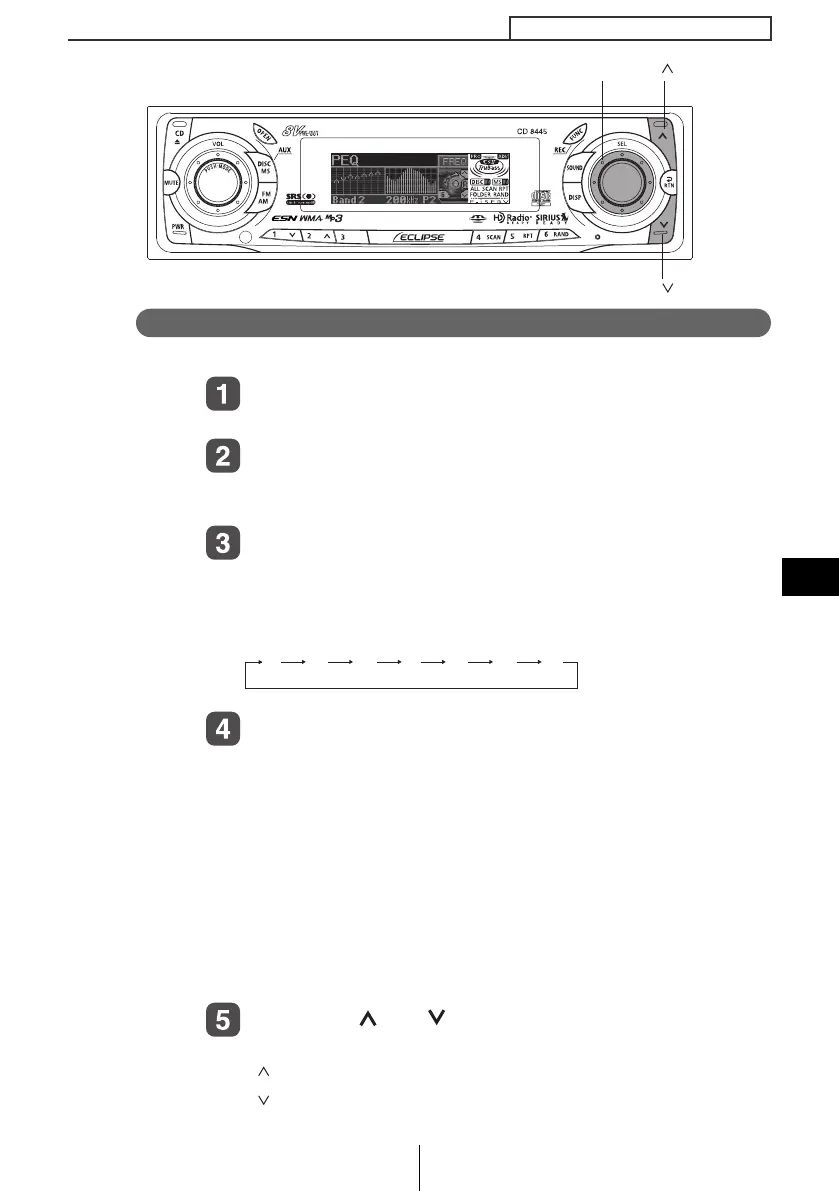
Turn the [SEL] button to select PEQ.
The selected item is highlighted.
Press the [SEL] button.
The mode will change to parametric equalizer adjustment
mode.
Press the [SEL] button to select the band to be
adjusted.
Each time the button is pressed, the selection changes in the
following order.
Turn the [SEL] button to select the frequency to be
adjusted.
When the button is turned, the frequency changes in the
following order.
1: 63Hz↔80Hz↔100Hz
2: 125Hz↔160Hz↔200Hz
3: 250Hz↔315Hz↔400Hz↔500Hz
4: 630Hz↔800Hz↔1kHz↔1.25kHz
5: 1.6kHz↔2kHz↔2.5kHz↔3.15kHz
6: 4kHz↔5kHz↔6.3kHz↔8kHz
7: 10kHz↔12.5kHz↔16kHz
Press the [ ] or [ ] button.
This adjusts the frequency level.
[ ] button: Increases level.
[ ] button: Decreases level.
[] button
[
EL] button
[ ] button
12 435 76
CD8445.book 133 ページ 2004年12月13日 月曜日 午前11時30分



 To Next Page