51
Basic operation
IV
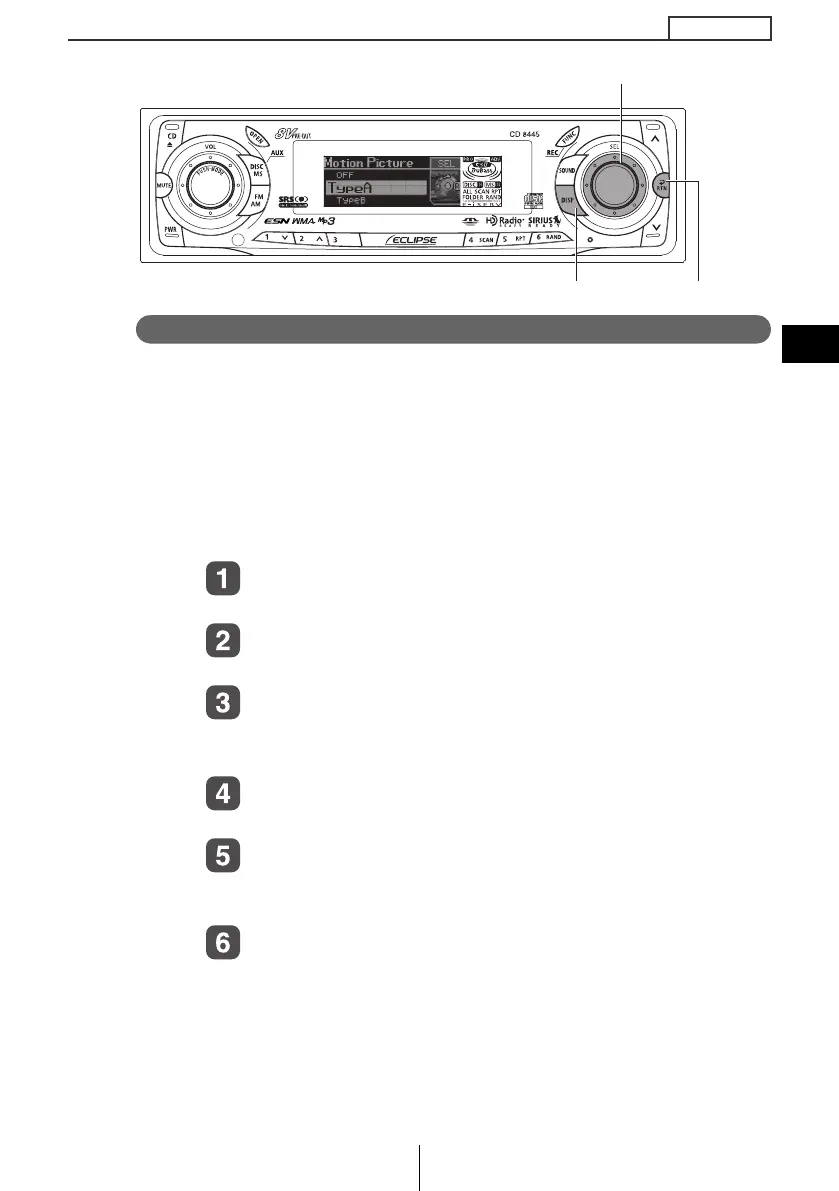
Switching the motion picture
You can select a moving picture screen that is already available in
the deck and show it on the display. The deck has three types of
motion picture available.
In addition, moving picture screens provided by the ECLIPSE
website (E-iSERV) can be downloaded, imported into the deck and
displayed. Applications can also be downloaded and your own
images can be converted into moving pictures. (For details, see
page 55.)
Turn the [SEL] button to select the Motion Picture.
The selection item will be highlighted.
Press the [SEL] button.
The Motion picture selection mode is activated.
Turn the [SEL] button to select the Motion Picture
Type A, B, C and OFF.
The selection item will be highlighted.
Press the [SEL] button.
The selected settings will take effect.
Press the [RTN] button.
At this time, other adjustments can also be made in display
adjustment mode.
Press the [DISP] or [RTN] button to exit display
adjustment mode.
[SEL] button
[DISP] button [RTN] button
CD8445.book 51 ページ 2004年12月13日 月曜日 午前11時30分



 To Next Page