26
ESN security operating procedure
How to operate the ESN (Key CD) security
How to program the Key CD
Check that the unit is in standby.
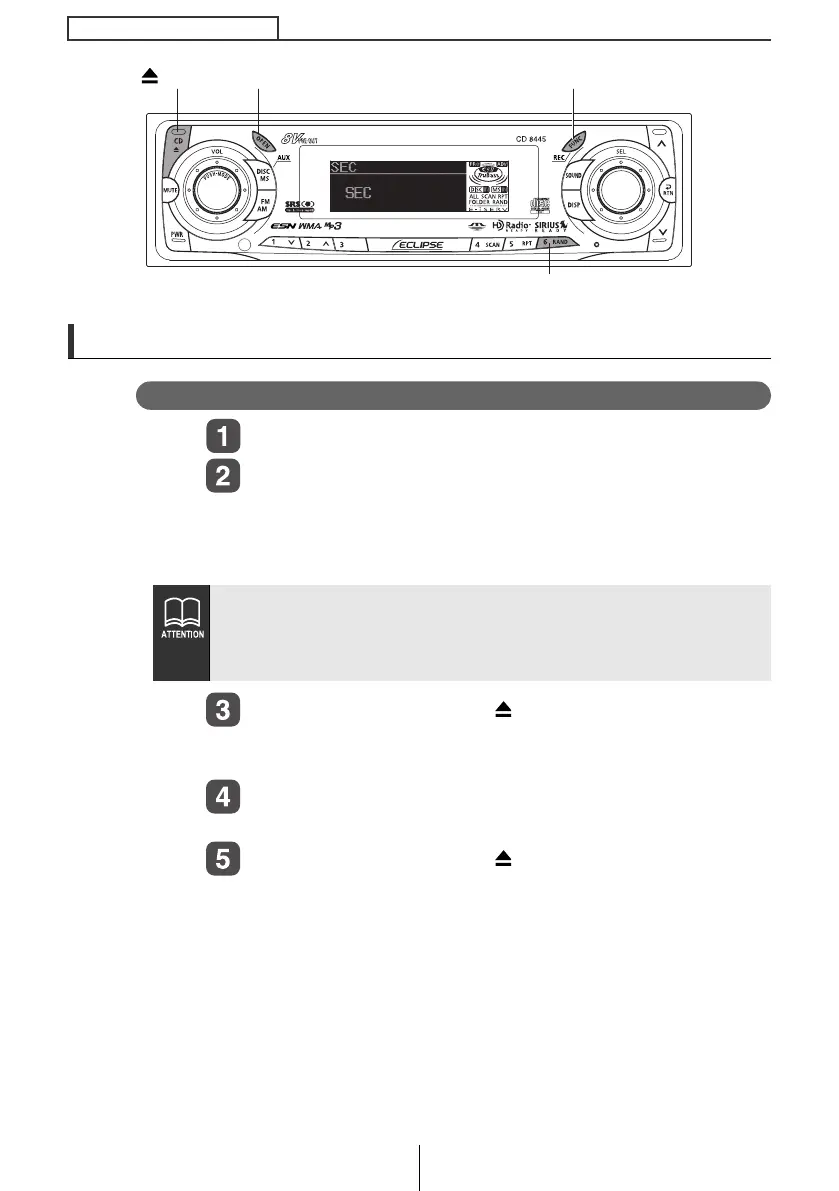
Press and hold the [FUNC] button, then button [6],
and hold both for more than one second.
A [SEC] message appears, in two seconds it will change to
[DISC].
Press the [OPEN] or [CD ] button.
The front panel opens; The CD8445 is now ready for your Key
CD in the CD slot.
Insert the CD into the slot.
A [SEC] message appears, then the Key CD is ejected.
Press the [OPEN] or [CD ] button.
The front panel closes.
● If a CD has already been inserted, a [SEC] message appears,
and then the front panel opens and the CD is ejected.
● If a security is activated, programming the Key CD is not
available.
Button [6]
[FUNC] button[OPEN] button
[CD ] button
CD8445_03_E.fm 26 ページ 2004年12月13日 月曜日 午後1時38分



 To Next Page