76
How to operate the CD player
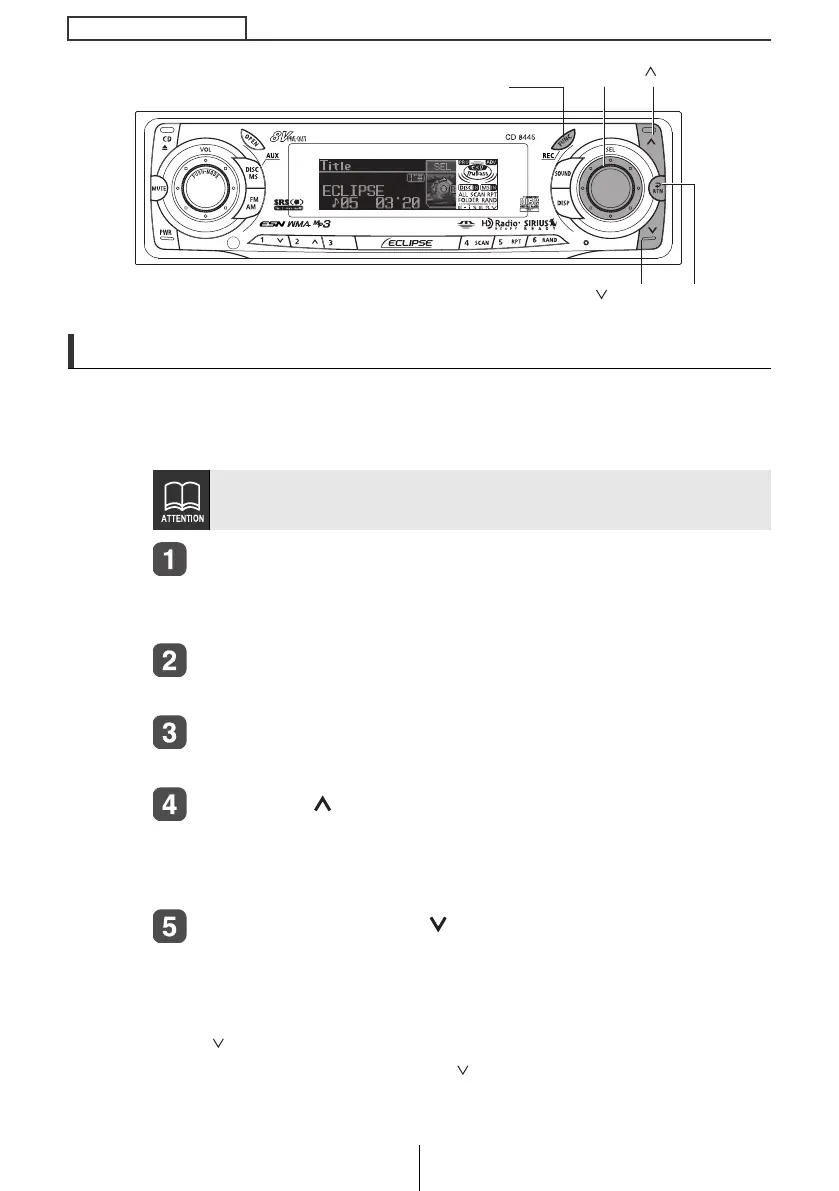
Creating a title for a CD
A CD title may be created, attached and displayed for your discs. If
external CD changers are connected, a title for a CD will be created in the
same way. It is assumed here that the CD to be titled is playing.
Press the [FUNC] button for less than one second while
in the disc mode.
The function mode is adtivated.
Turn the [SEL] button to select Title.
The selected item will be highlighted.
Press the [SEL] button.
The disc title setting mode is activated.
Press the [ ] button to select the character type.
Pressing the button will switch types from [ABC] (Upper-case
alphabet characters) to, [123] (numeric characters) and then [!&?]
(symbols).
Press either [SEL] or [ ] button to select the position in
which to enter the character.
The character will be inserted where the cursor is flashing:
[SEL] button: Moves the cursor to the right.
[ ] button: Advances the cursor to the left. Pressing and
holding the [ ] button moves the cursor to the left.
No CD text disc can be set.
[FUNC] button
[] button
[SEL] button
[RTN] button[ ] button
CD8445.book 76 ページ 2004年12月13日 月曜日 午前11時30分



 To Next Page