167
How to use the remote control
XI
How to play MP3/WMA
Switching disc modes
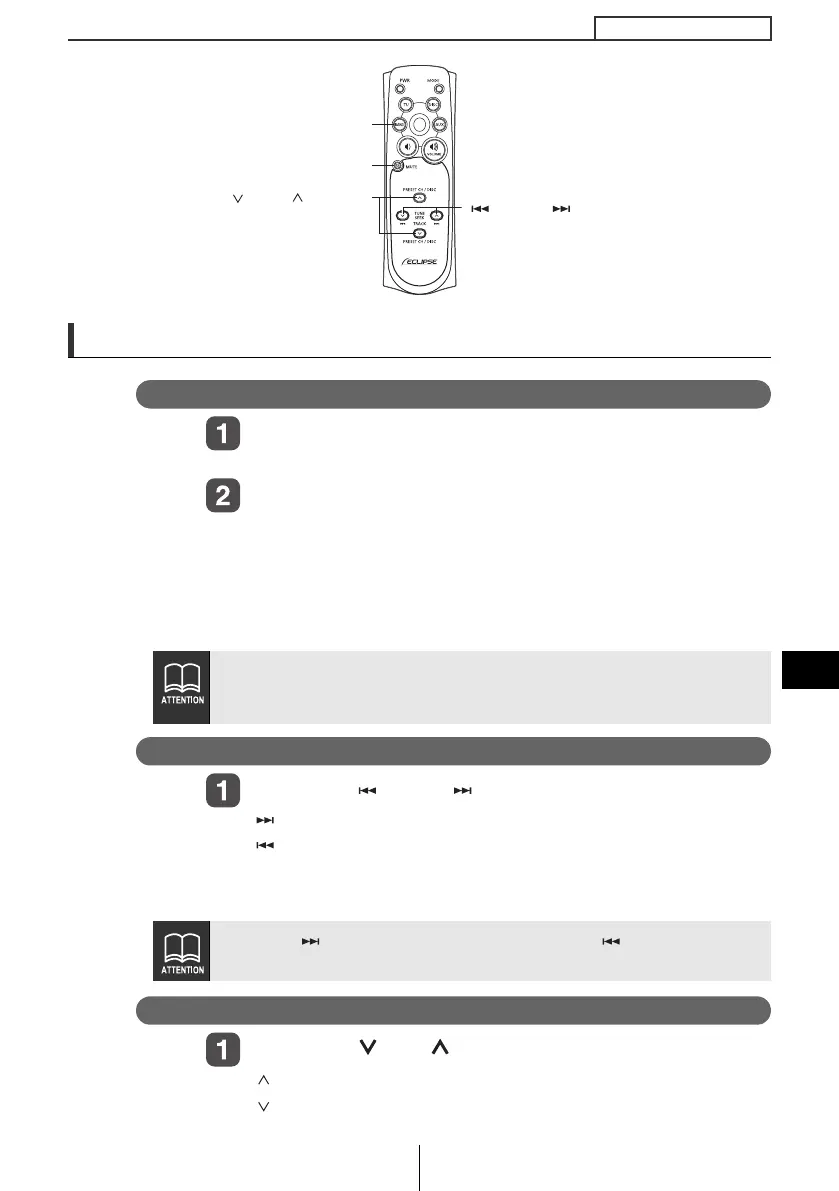
Press the [DISC] buton.
The disc mode is activated.
Press the [BAND] or [DISC] button.
When one or two CD changers are connected, press the
[BAND] or [DISC] button to change modes from CD player ➔
CD changer 1 ➔ CD changer 2.
The indicator will skip a changer or player that has no discs
loaded.
Advancing to the next file or returning to the beginning of the file being played
Press the [ TRACK ] button.
[ ] button: Advances to the next track (file).
[ ] button:
Returns to the beginning of the track (file) being
played.
(Press repeatedly to move to previous
tracks (files).)
Skipping to the next or previous folder
Press the [ DISC ] button.
[ ] button: Selects the next folder.
[ ] button: Selects the next lower folder.
● The optional CD changer cannot be used to play MP3 files.
● If normally recorded music data (CDDA) and MP3 music files
are mixed, then normally recorded music data will be played.
Hold the [ ] button down to fast forward, or the [ ] button to rewind
through the track being played.
[ DISC ] buttons
[TRACK ]
buttons
[MUTE] button
[BAND] button
CD8445.book 167 ページ 2004年12月13日 月曜日 午前11時30分



 To Next Page