152
How to operate the AREA SHOT function (U.S.A. only)
To use the AREA SHOT function
In order to use AREA SHOT, driving instructions such as the direction of
travel and the street names of turn intersections must be downloaded
from the ECLIPSE website (E-iSERV) and imported into the CD8445.
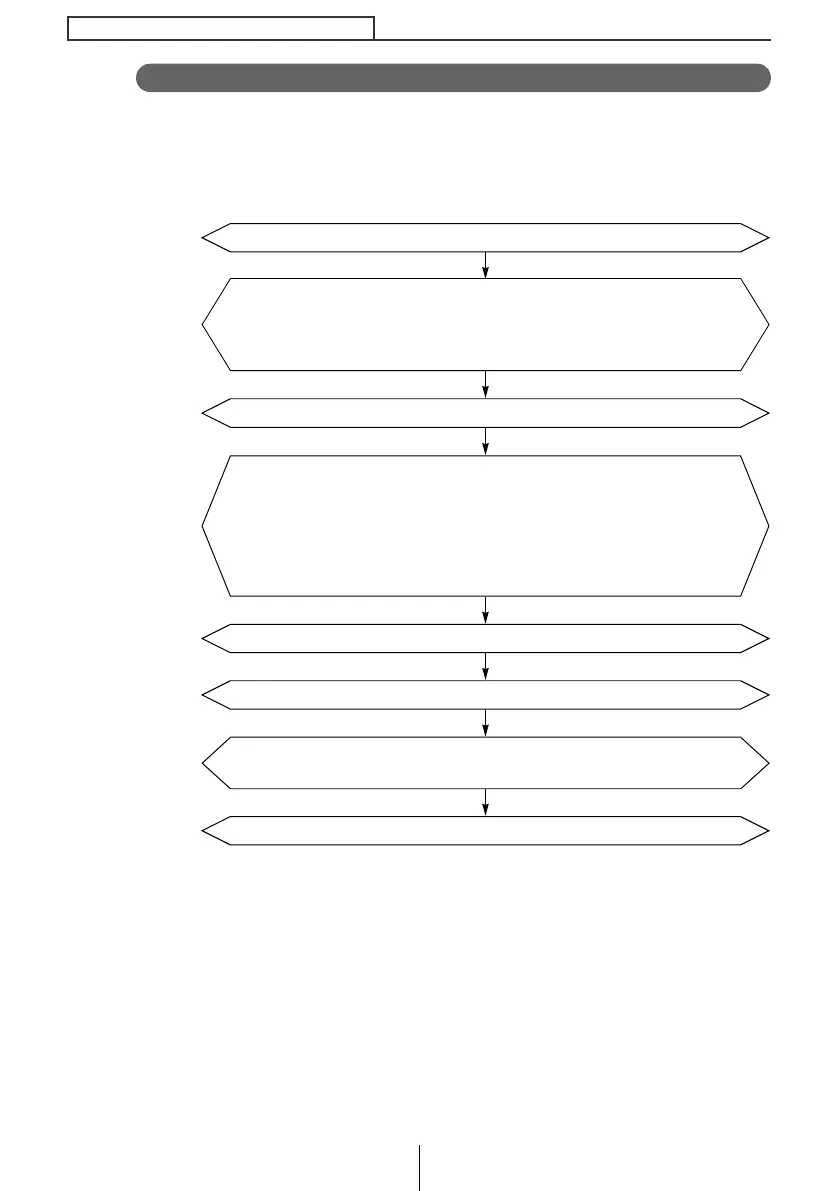
The process is as follows:
Login.
Access The ECLIPSE Website. (URL: http/www.e-iserv.jp)
Register as a user. A User Registration Key is required when
registering. For details about User Registration Key, see page 189.
(To register, follow the instructions provided by the website. Once you
have registered, there is no need to repeat the procedure.)
Write the downloaded information to a CD-R or Memory Stick.
Set your start point and destination on the AREA SHOT page. Address
or intersection, city, state/prov and zip/postal code can be used to
search for start points, routes and destinations. Your home can be
registered as a memory point. (Follow the instructions provided on the
website.)
Import the data written to the CD-R or Memory Stick into the CD8445.
(For details, see 154.)
AREA SHOT is ready for use.
Download information.
CD8445.book 152 ページ 2004年12月13日 月曜日 午前11時30分



 To Next Page