164
How to use the remote control
Switching playback modes
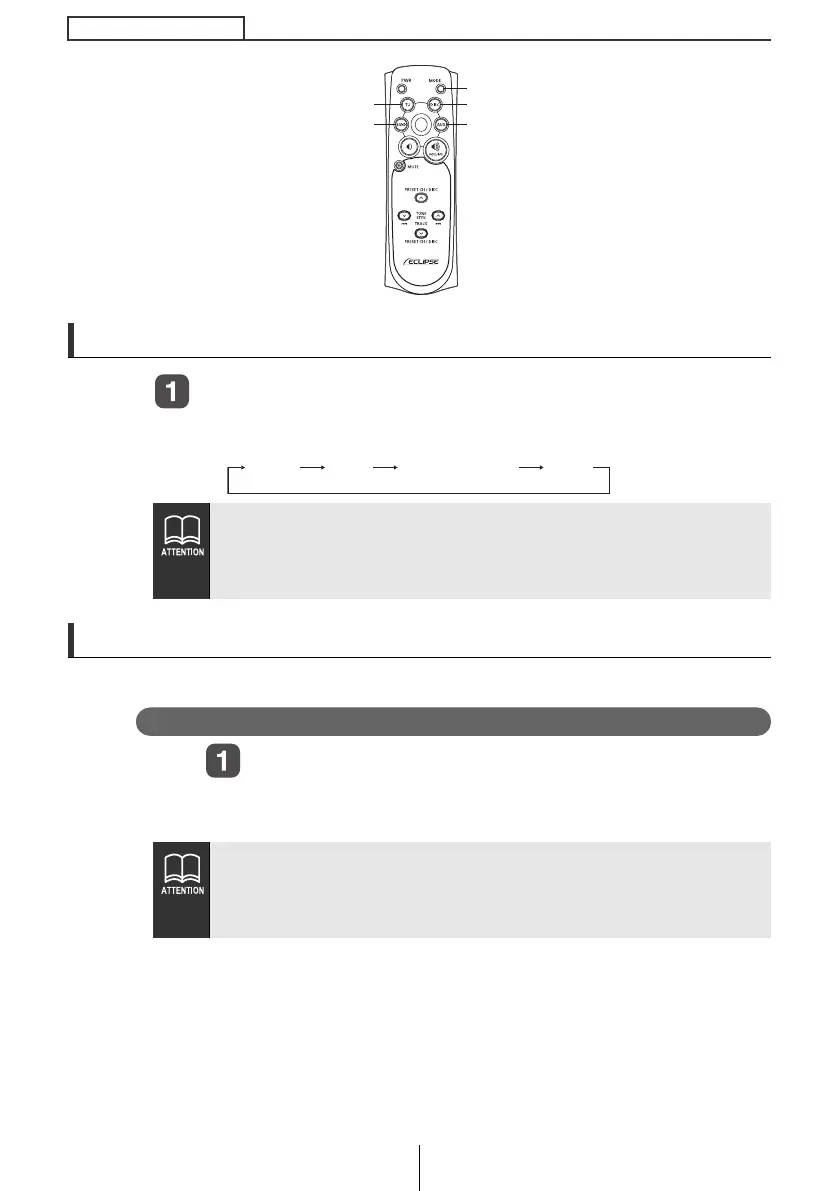
Press the [MODE] button.
Press the button to switch modes in the following sequence:
How to play the tuner
Select the tuner mode first.
Selecting the FM/AM band
Press the [BAND] or [TU] button.
Each press will switch tuner modes from FM1
➔
FM2
➔
FM3
➔
AM.
Modes can be switched by pressing the following buttons:
[TU] button: The tuner mode is activated.
[DISC] button: The disc mode is activated.
[AUX] button: The AUX mode is activated.
● It is not possible to switch between FM/AM mode and SIRIUS
with the remote control.
● If the optional SIRIUS tuner is connected, the selections will
switch the mode from SR1 ➔ SR2 ➔ SR3 ➔ SR4 in order.
[BAND] button
[TU] button
[MODE] button
[DISC] button
[AUX] button
Tuner Disc AUXMemory Stick
CD8445.book 164 ページ 2004年12月13日 月曜日 午前11時30分



 To Next Page