182
How to operate the tuner with an optional SIRIUS satellite radio tuner connected (U.S.A. only)
The receiver will accept up to 24 stations in memory.
Selecting the radio mode
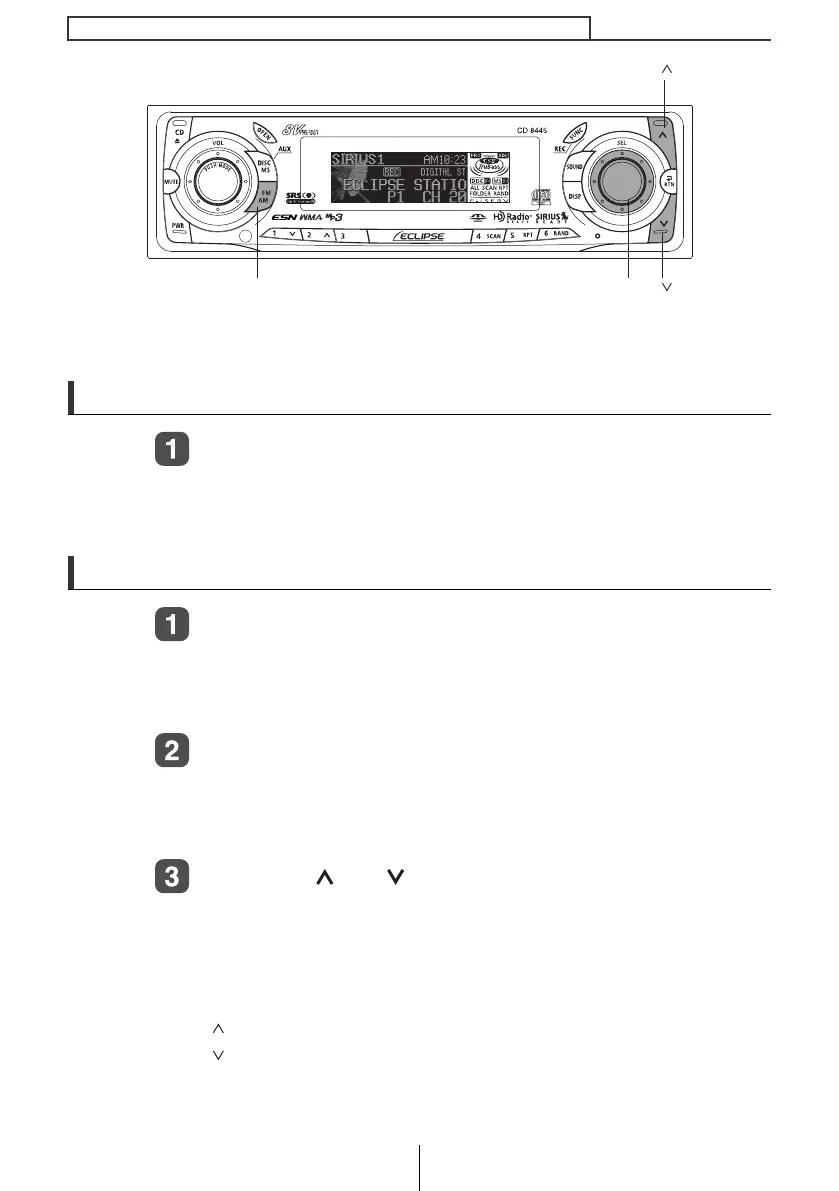
Press the [FM AM] button for more than one second.
The mode switches between satellite radio mode and FM/AM radio
mode each time the button is pressed.
Selecting a channel
Press the [FM AM] button for less than one second to
switch to the desired SR bands.
Radio bands will switch from SR1 ➔ SR2 ➔ SR3 ➔ SR4 in order
each time the button is pressed.
Turn the [SEL] button to the left or right to tune to a
channel.
Turn to the right: Selects the higher channel.
Turn to the left: Selects the lower channel.
Press the [ ] or [ ] button for less than one second to
start the automatic channel search.
Reception is enabled for all channels within the currently selected
category.
(Refer to page 183 for details on "Category selection".)
[ ] button: Starts searching toward higher channels.
[ ] button: Starts searching toward lower channels.
[SEL] button[FM AM] button
[ ] button
[ ] button
CD8445.book 182 ページ 2004年12月13日 月曜日 午前11時30分



 To Next Page