131
How to operate the Sound Adjustment Mode
IX
Operations during Advance Mode
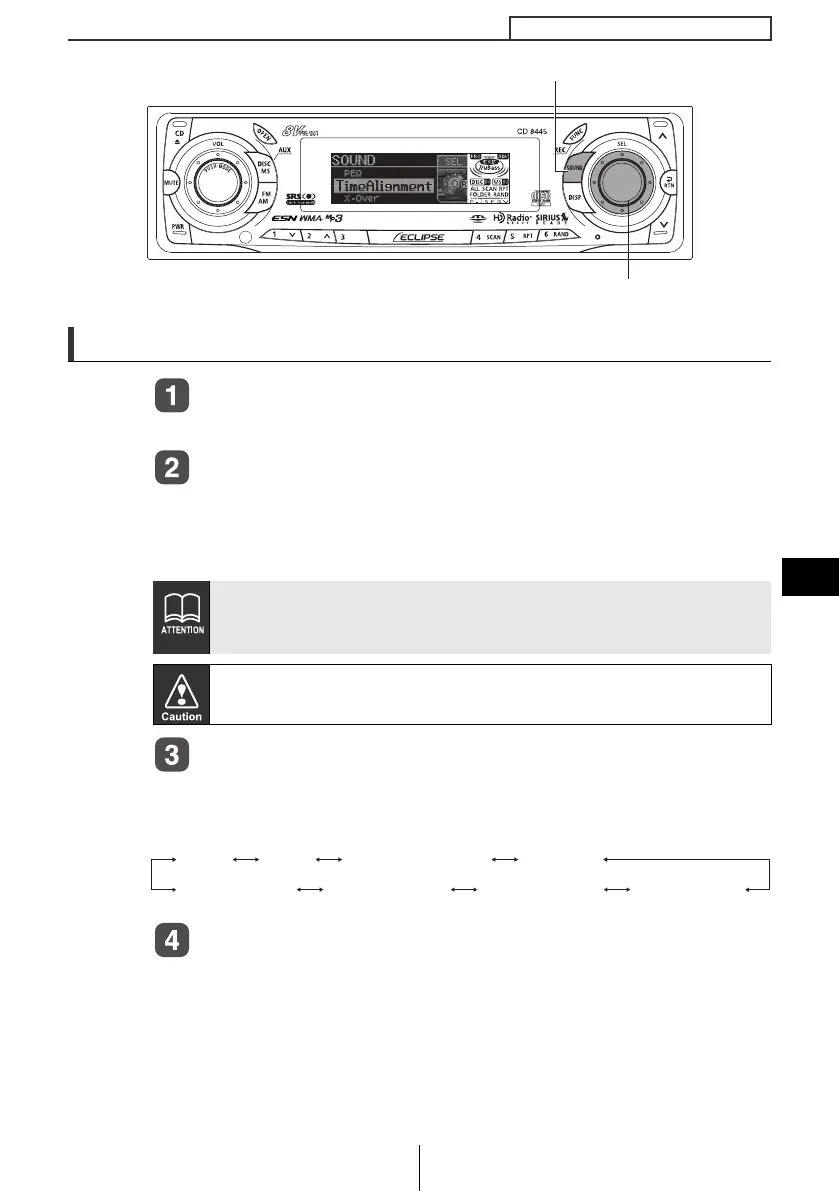
Press the [SOUND] button.
The mode will switch to sound adjustment mode (normal mode).
Press the [SOUND] button for more than two seconds.
The mode switches between normal mode and advance mode each
time the button is pressed. During advance mode, "ADVANCE
MODE ON" and the scroll display appear in the display.
Turn the [SEL] button to select a setting item.
When the button is turned, the setting item changes in the following
order and the selected item is highlighted.
Press the [SEL] button.
If you press the [SOUND] button during sound adjustment mode, the
adjustment mode is canceled and the mode returns to normal music
mode.
When switching between Normal Mode and Advance Mode, please
make sure that the volume level is set to 0.
[SOUND] button
[SEL] button
PEQCSII
Non-F PhaseNon-F OutputSound Data
Time-Alignment X-OVER
Harmonizer
CD8445.book 131 ページ 2004年12月13日 月曜日 午前11時30分



 To Next Page