59
Basic operation
IV
Making changes with Function Mode
A variety of settings can be changed.
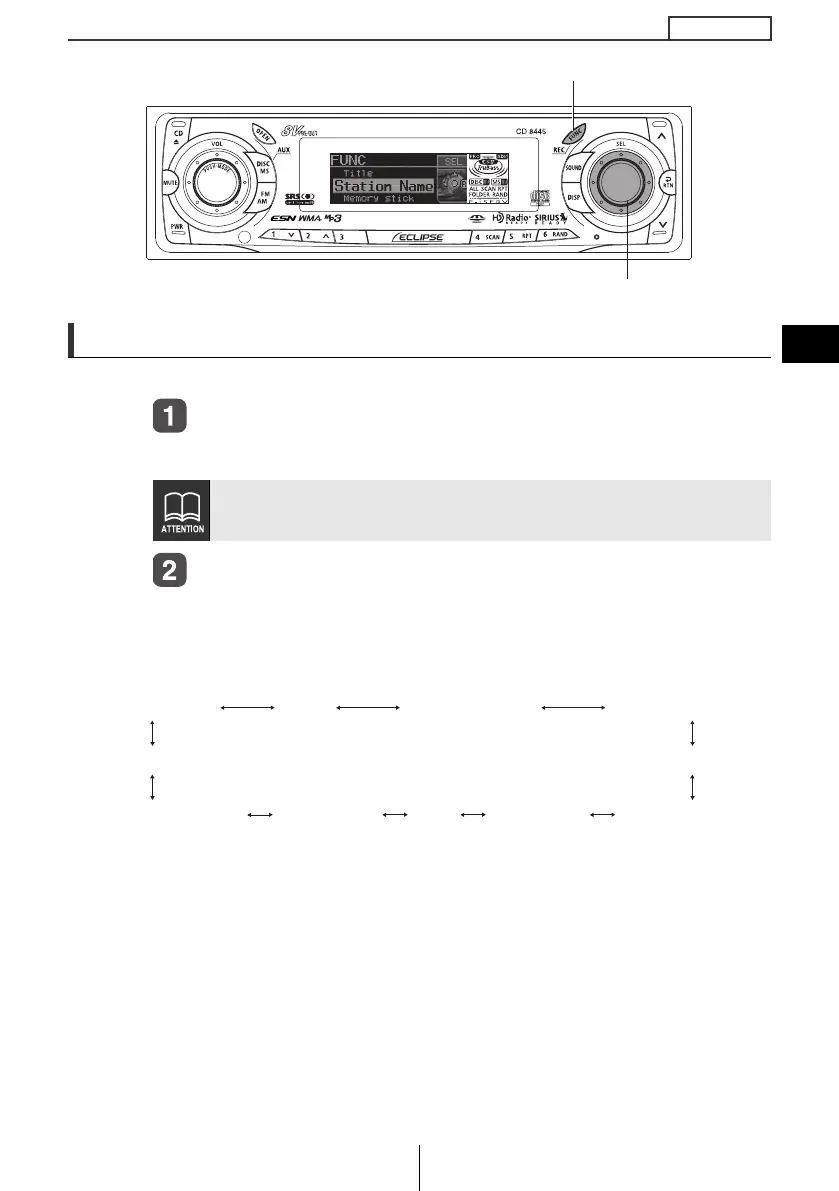
Press the [FUNC] button for less than one second.
The function mode is activated.
Turn the [SEL] button in either direction to display
setting items for selection.
When the button is turned, the setting item changes in the following
order and the selected item is highlighted.
*1
: Cannot make settings other than for AREA SHOT operation.
(Refer to page 154 for details on AREA SHOT operation.)
*2
: Cannot make settings other than for CD or CD changer
operation.
(Refer to page 76 for details on CD operation.)
*3
: Cannot make settings other than for tuner operation.
(Refer to page 108 for details on tuner operation.)
*4
: Settings cannot be adjusted during recording.
If you press the [FUNC] button during function mode, the adjustment
mode is canceled and the mode returns to normal music mode.
[SEL] button
[FUNC] button
Area Shot*
1, 8
Title*
2
Station Name*
3
Memory Stick*
4
AUX Sensitivity*
6
Steering SW*
7, 8
HD Radio*
5, 8
Guide Tone
Clock ON/OFF
Demo Clock Adjust
CD8445.book 59 ページ 2004年12月13日 月曜日 午前11時30分



 To Next Page