56
Basic operation
Turn the [SEL] button to select Disp Data.
The selected item will be highlighted.
Press the [SEL] button.
The Disp Data mode is activated.
Turn the [SEL] button to select media types.
Press the [SEL] button.
● When using a CD-R:
The front panel opens automatically and, if a CD has already
been loaded into the deck, it will automatically eject.
● When using a Memory Stick:
If the Memory Stick containing the images is not inserted,
the front panel opens automatically.
Load your selected media.
Press the [OPEN] button to close the front panel.
Turn the [SEL] button to select files.
The selected item will be highlighted.
Press the [SEL] button.
The moving picture screen will be displayed.
Turn the [SEL] switch to select from the locations to
which you want to import the data: [Type A] – [Type C].
When the button is turned, the setting item changes in the
following order and the selected item is highlighted.
Press the [SEL] button.
[OK?] appears on the display.
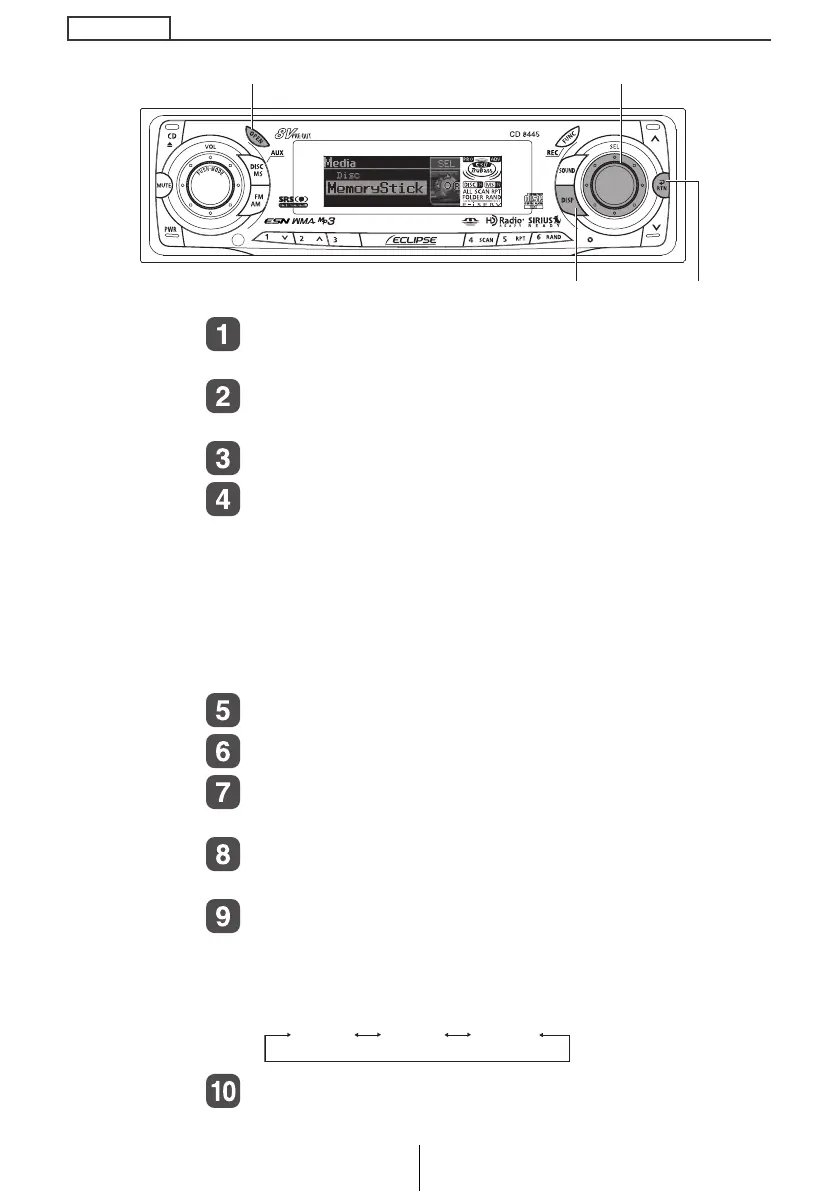
[SEL] button
[DISP] button [RTN] button
[OPEN] button
Type A Type B Type C
CD8445.book 56 ページ 2004年12月13日 月曜日 午前11時30分



 To Next Page