67
Basic operation
IV
Press the [RTN] button.
At this time, other adjustments can also be made in function mode.
Press the [FUNC] or [RTN] button to exit function
mode.
During Step , the function mode can also be cancelled by
pressing the [FUNC] button.
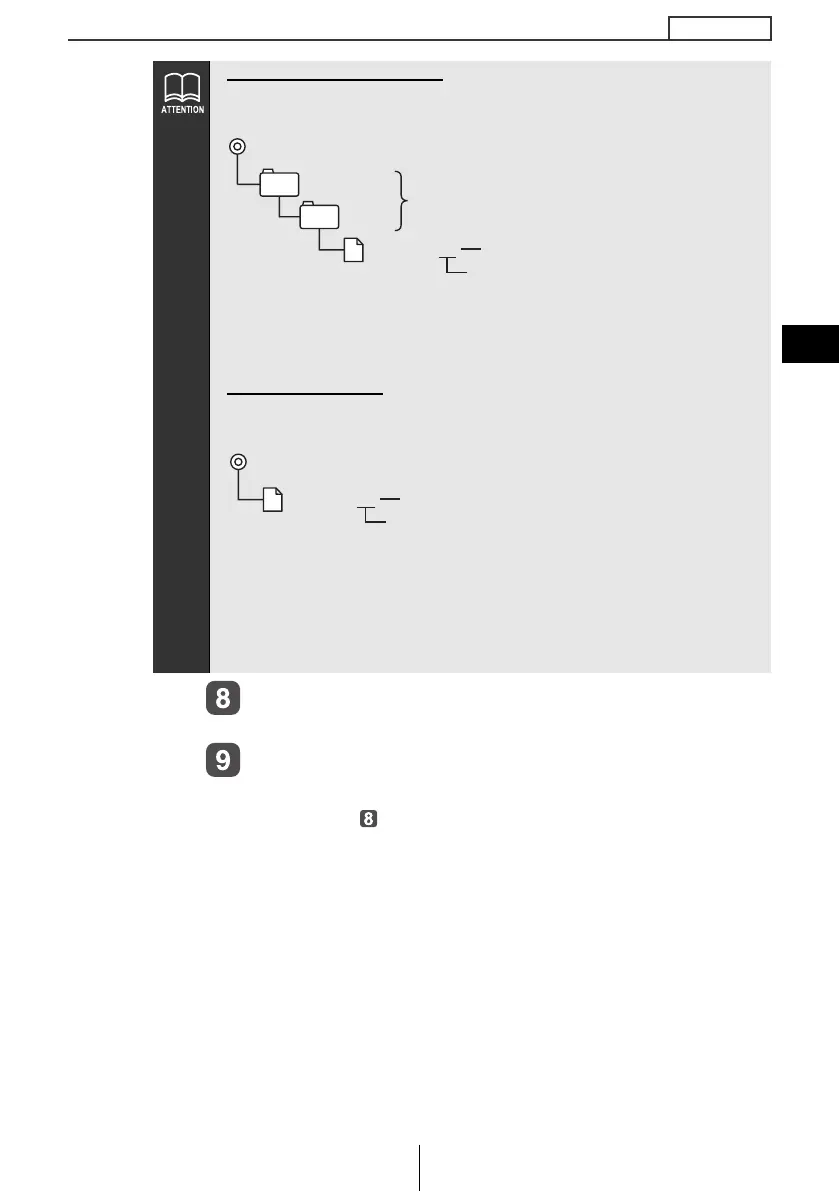
When using a Memory Stick:
Data downloaded from the ECLIPSE website (E-iSERV) can be saved
in folders on the Memory Stick as follows:
● Files that can be imported into the deck are created
automatically when downloaded from the E-iSERV website.
● The file name can be changed using 8 alphameric characters
(space cannnot be used).
When using a CD-R:
● The deck can only import files from CD-R that have been written
to root directories.
● Disc formats that may be used are as follows:
• CD-ROM (MODE 1)
• CD-ROM (MODE2_FORM 1)
*CD-ROMs written in MODE2_FORM2 cannot be read.
● The file name can be changed using 8 alphameric characters
(space cannnot be used).
MSFTEN
DATA
File extension
XXXXXXXX.ssw
Automatic creation
User creation
File extension
XXXXXXXX.ssw
Automatic creation
CD8445.book 67 ページ 2004年12月13日 月曜日 午前11時30分



 To Next Page