96
How to operate the Memory Stick player
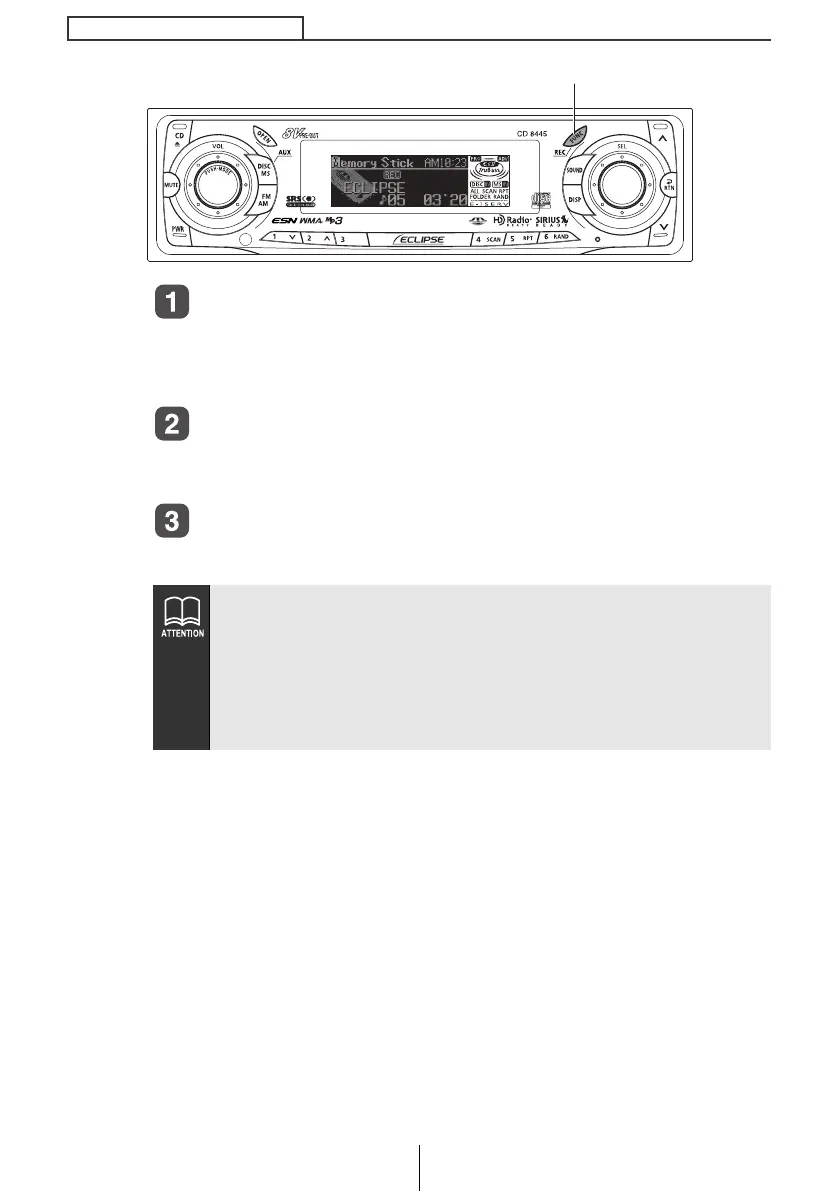
Insert the MG Memory Stick.
When attempting to record from a CD, make sure to insert the CD.
When attempting to record from the radio, etc., make sure to turn
ON the desired sound source.
Press the [FUNC] button for more than one second.
Recording begins.
When recording a music CD, the CD plays simultaneously.
Press the [FUNC] button for more than one second.
Recording stops.
● A track is not recorded if recording is stopped in the middle of
the track.
● In case 1 Track was selected at the "Selecting tracks to be
recorded" on page 97, select tracks using the [SEL] button and
start recording.
● A MG Memory Stick formatted by another this deck may not be
able to record data.
[FUNC] button
CD8445.book 96 ページ 2004年12月13日 月曜日 午前11時30分



 To Next Page