Technical Support is available from 8am to 5pm (PST) M - F at support@fslaser.com.
31
Stage 1 Prep
Prepare your tools and workspace.
1. Safety First: Be aware of all safety procedures and precautions before continuing.
2. Power On Laser Cutter: The machine must be powered on to continue this procedure. Turn
on the machine by hitting the power switch. Allow the machine time to boot up the touch screen
operating system.
3. Unlock Driver Motor: The driver motor needs to be Unlocked to allow manual “jog” control.
On the touch screen, press the “Locked” icon to switch to “Unlocked” position. The button will now
display the “Unlocked” icon.
4. Gather Tools: A 2.5 mm hex wrench and a supply of thermal paper are required to perform the
mirror alignment procedure (if required).
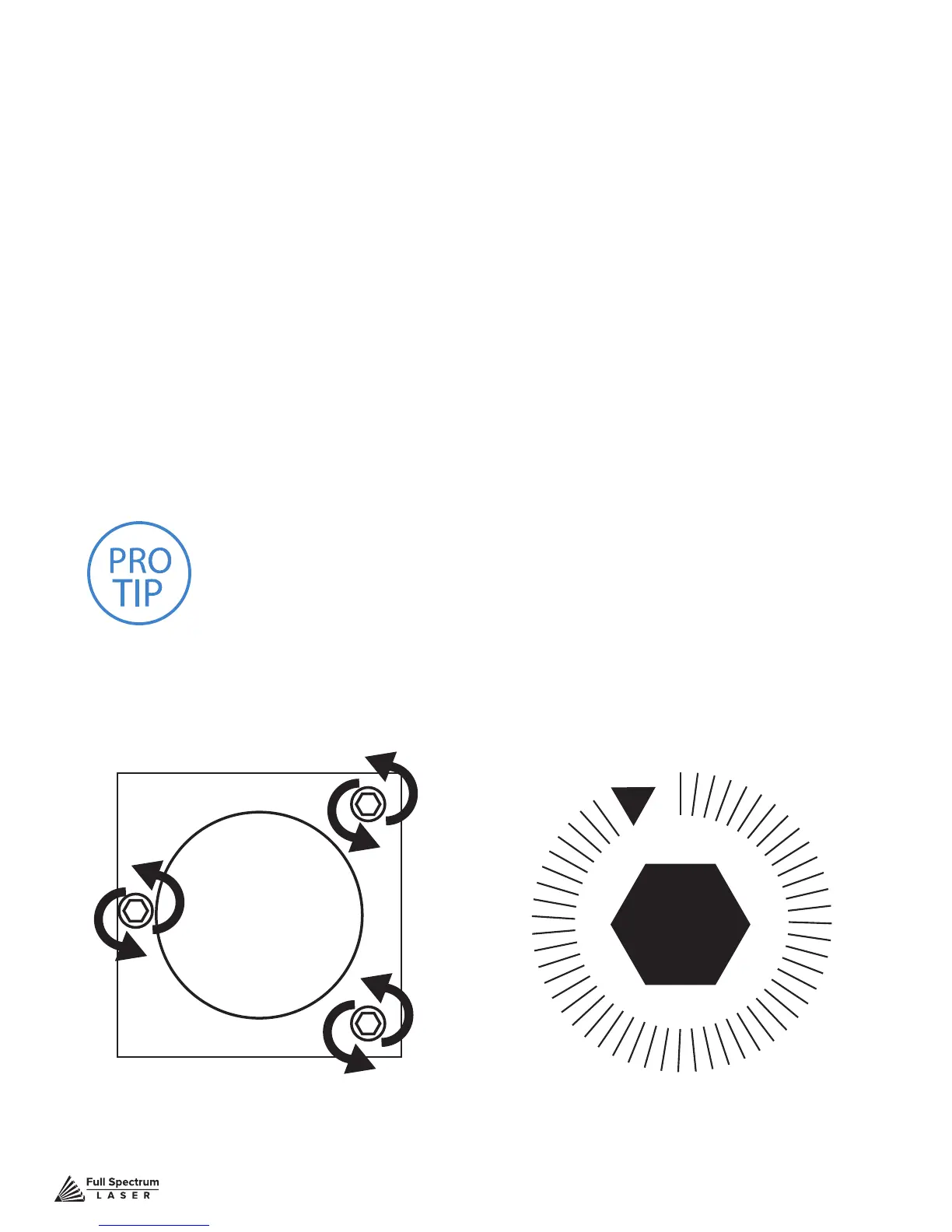
PRO TIP! DO NOT over-tighten or over-loosen adjustment screws.
Tightening or loosening any of the three adjustment screws on the
mirrors or the red dot diode will move the position in a particular
direction depending on the positioning of the other screws. Some
experimenting is required to understand the relationship of each screw
and how adjusting one affects the red dot’s positioning. When adjusting
the screws, use the absolute minimum turn of the hex wrench to move
the red dot or the mirror into position.
Figure 4.5



 To Next Page