Technical Support is available from 8am to 5pm (PST) M - F at support@fslaser.com.
32
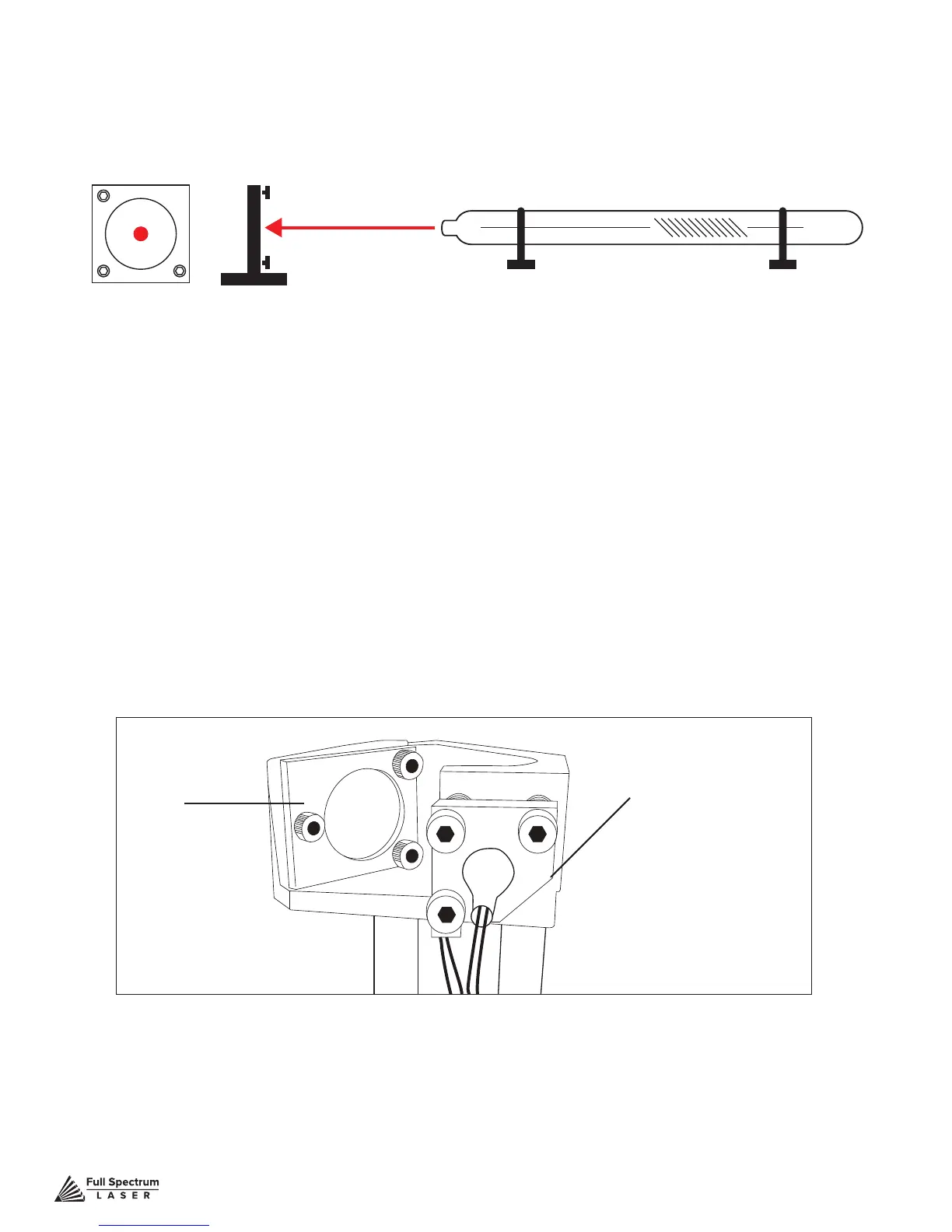
Stage 2 Align Laser Output To Mirror #1
Conceptually, you will be aligning the invisible cutting beam with the visible red beam diode and
making sure they hit each mirror precisely. Once again, remember to check your mirror alignment
BEFORE starting this procedure as it is likely unnecessary if the laser tube was pre-installed in your Muse.
1. Open the Safety Lid: You will need to access the interior of the machine.
2. Place Thermal Paper: Take a small piece of thermal paper (approx. 15 mm should be plenty)
and place it rmly over Mirror #1.
3. Close Safety Lid: Safety measures should make it impossible to re the laser with the safety
lid open. Regardless, never attempt to re the laser with safety lid open.
4. Test Fire the Laser: Press the Fire Laser Icon Button on the touch screen. You will see a burn
mark on the thermal paper. It should hit the mirror in the middle.
5. Adjust Red Beam: Using your 2.5m hex wrench, make micro adjustments to the three
adjustment screws of the red beam diode, and position the red dot exactly over the burn mark.
Red Beam Diode
Mirror #1
Figure 4.6
Figure 4.7



 To Next Page