Questions? Call (315) 298-8510, or visit us online at www.fulton.com
Fulton Vantage Boiler
Setup at the ModSync:
1. By default the ModSync is set to the Master Address of 1 on the boiler Modbus network (Port 3). The
LMV3 uses a baud rate of 19200.
2. The communication for the LMV3 controller will be through Port 3 on orange colored terminals A (+), B (-),
and C (SG) connected to the CVM wired to matching orange A, B, C terminals in the boiler panel.
3. On the ModSync startup screen LMV3 will have been selected when configured at the factory. ‘LMV3’
should also be selected under the Interface on each Boiler Configuration screen.
Setup at the LMV3 Controller (AZL)
1. Set the Modbus Address
Hold the F and A keys for 1 sec
Enter the password. (AAAAA or ENTRY)
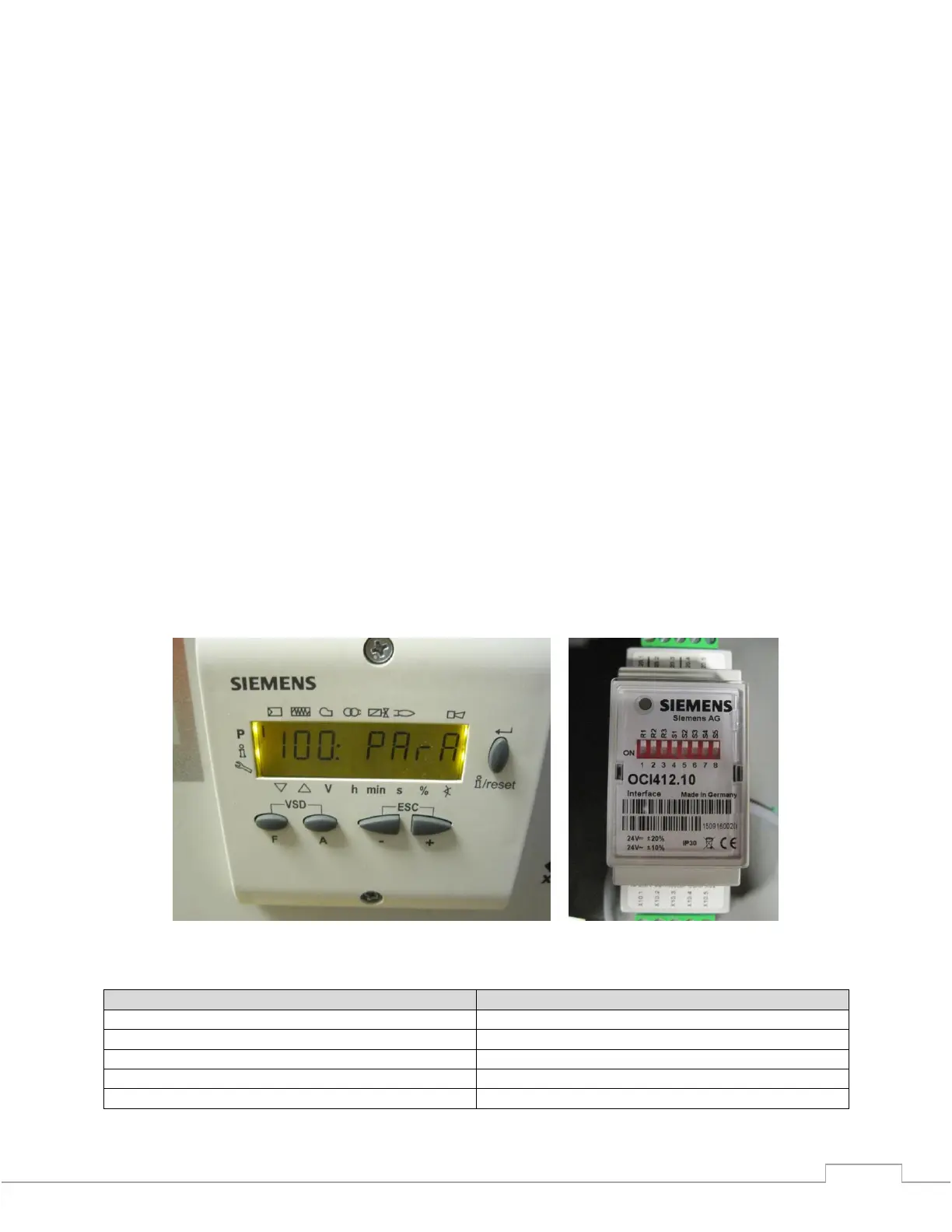
Press the Left Arrow (-) twice to get to 100:PARA; press Enter
Press the Arrow Right (+) to parameter 145; press Enter
- Press the arrow keys to change the address to the appropriate value. (Boiler 1 = 2, Boiler
2 = 3, etc...); press Enter.
- Press Escape. (+ and -)
2. Select parameter 141 and set to 1 for Modbus; press Enter and then Escape (+ and -).
3. Select parameter 142 and set to 30 for the timeout, press Enter and then Escape (+ and -).
4. Select parameter 146 and set to 1 for 19200 baud rate, press Enter and then Escape (+ and -).
5. Select parameter 147 and set to 0 for no parity, press Enter and then Escape (+ and -).
6. Escape to get back to the main screen.
Figure – Siemens LMV3 AZL Display Left, Siemens CVM / OCI Module Right
Standby (Connection failure between OCI and LMV)
Standby (Connected and ready to operate)







 To Next Page