69
Commonfunction
① Selectthe"SPEECH-VOLUME"itemandchangethe
volumebypressingthe+keyor‒key.
+ −
or
Selectionrange:
HIGH,LOW
Speechvolume
●
Parameter
VHWWLQJLV
QRWUHVHW+RZHYHU
STK POSI ALRM,DQG
WKHTelemetry mode
RQZKLFK(M) ZDV
GLVSOD\HGDUHUHVHW
WDEOH
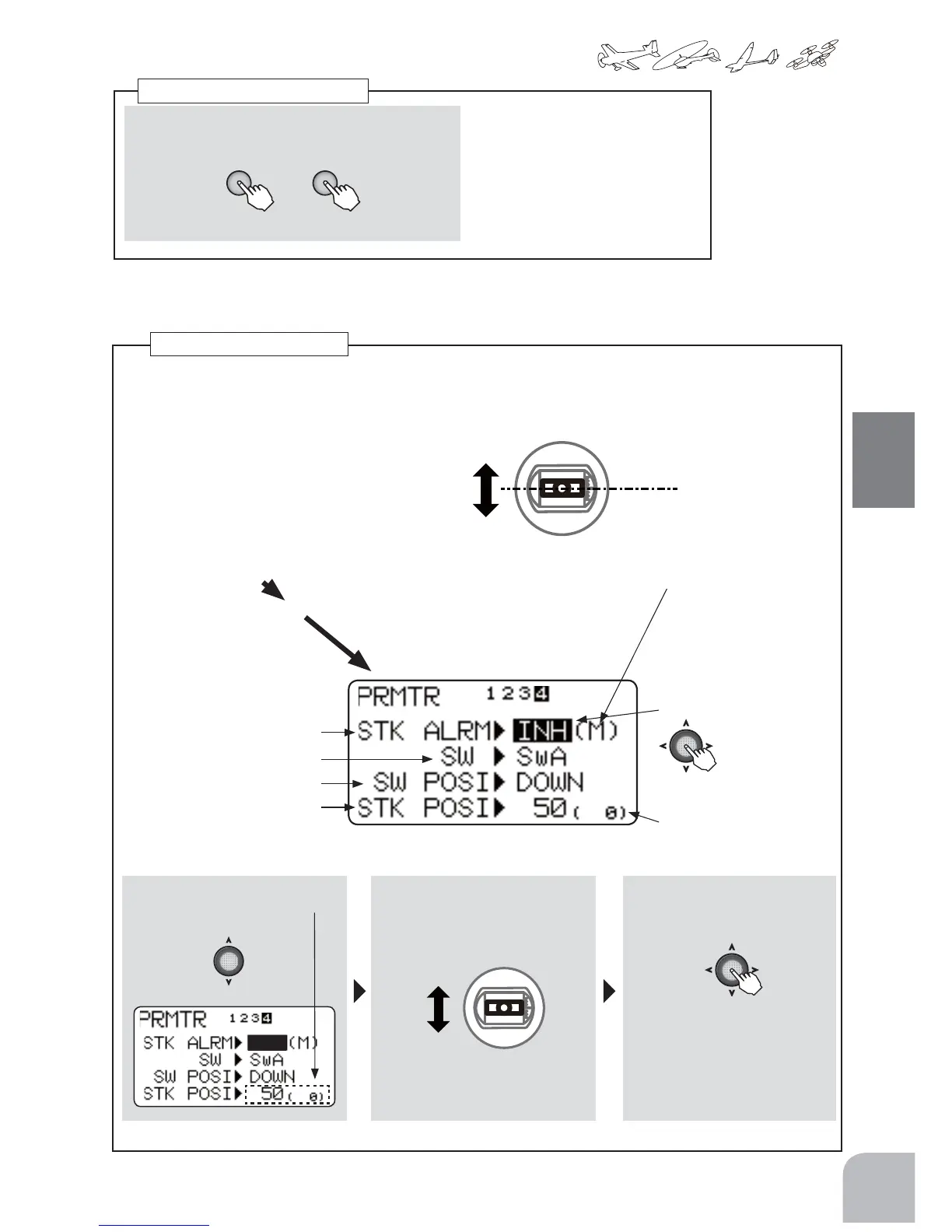
Stickpositionalarm
Analarm(singlebeep)canbesoundedatthespecifiedthrottlestickposition.
● AlarmfunctionON/OFFcanbesetbyswitch.
Select"Parameter"
PresstheJogkeytothesideandselectpage4.
Beepsounds
WhentheTHRstick
issettothe
specifiedposition.
(STKPOSIALRM)
● Selecttheitemwiththe
Jogkey.
INH ⇔ ON/OFF
Switchselsction
Switchdirection
Stickposition
● WhenINHisselected,the
functioncannotbe
used.WhenONorOFF
isselected,thefunc-
tionisactivated.ON
andOFFchangesarelinked
totheswitch.
●Thenumberinparenthesis
isthecurrentthrottlestick
position.
① StickpositionischosenbyJog
key.
② Setthethrottlesticktothepo-
sitionatwhichyouwantto
generatethealarm.
③WhentheJogkeyisheld
downthealarmsoundsatthat
position.
Memorizethepositionat
whichthebeepistosound.
THRStick
21



 To Next Page