96
Commonfunction
Function
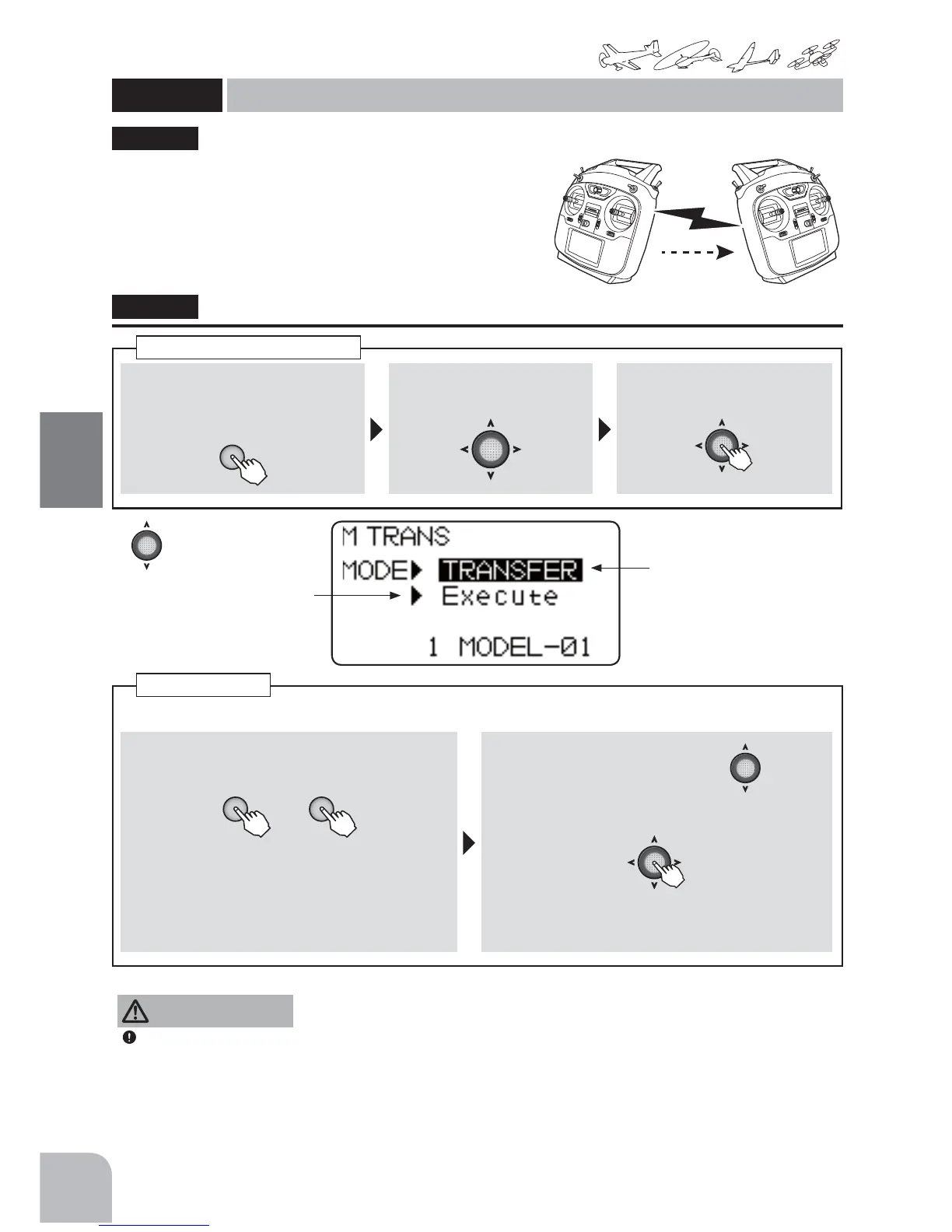
Method
①Callthemenuscreenfromthe
homescreenbypressingthe+key
for1second.
+
② Select
fromthemenuwiththeJog
key.
③Openthesettingscreenby
pressingtheJogkey.
(1second)
Callingthesettingscreen
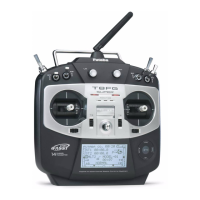
Transmission of model data is possible with T6K
WUDQVPLWWHUV'DWDWUDQVIHULVSHUIRUPHGE\WKHUDGLR7KH
0'/75$16IXQFWLRQZRUNVZLWKWKHFXUUHQWPRGHO
you are using in the transmitter. As for the receiving
transmitter, any data on the current model that is receiving
the information will be over-written.
*T6K does not carry out normal operation during data transfer.
"MTRANS"
MTRANS
Modeltransfer
(Common)
●
MDL-TRANSbetweentwoT6Kradiosshouldbeperformedwithin2-meterrange.
① IneachT6K,the+ or −keyispressedanditis
made"TRANSFER"and"RECEIVE".
+ −
or
● "TRANSFER":T6Kofdataorigin
"RECEIVE":T6Kwhichreceivesdata
Selectionrange:TRANSFER,RECEIVE
② Select"Execute"withtheJogkey.
③ HolddowntheJogkey[eachT6K].
(1second)
)
● "Complete"isdisplayedandthemode
transferisfinished.
Modeltransfer
● Ifdataisnotbeingtransmitted,thereceivingtransmitterre-
turnstonormaloperation10secondsafterexecution.Atthis
time,"Failure"(nottransmitting)isdisplayed.
Always check servo direction prior to every
flight as an additional precaution to confirm
proper model date, hook ups, and radio
function.
NOTE:
0'/75$16 EHWZHHQ WZR 7. UDGLRV VKRXOG
be performed within a 2-meter range.
CAUTION
MODE:
TRANSFER(T6Kofdata
origin)/
RECEIVE(T6Kwhichreceives
data)
Executionoftransmission/
reception
T6K-1 T6K-2
ModelData
TRANSFER RECEIVE



 To Next Page