GAT Access 6100 Terminal Series
Updating the GAT Access 6100
www.gantner.com
HB_GAT-ACCESS6100--EN_14
81
7
UPDATING THE GAT ACCESS 6100
GANTNER Electronic GmbH periodically releases updates for the GAT Access 6100. New firmware versions can be
found and uploaded to the GAT Access 6100 using GAT Config Manager software.
The firmware version currently installed in the GAT Access 6100 is displayed on the terminal information screen
upon start-up of the device (see “5.3.1 Service Menu of the GAT Access 6100”).
7.1 Updating with GAT Config Manager
The PC software GAT Config Manager is used to check for new firmware versions and to upload the update to the
GANTNER device. An internet connection is required to allow GAT Config Manager to connect to the GANTNER
server and check for possible updates.
See the GAT Config Manager manual for detailed instructions on installing and operating GAT Config Manager.
See section “5.4. Configuration Settings” for instructions on how to add a GAT Access 6100 to a project in GAT Config
Manager. Once the GAT Access 6100 is added to a project, complete the following steps to update the device.
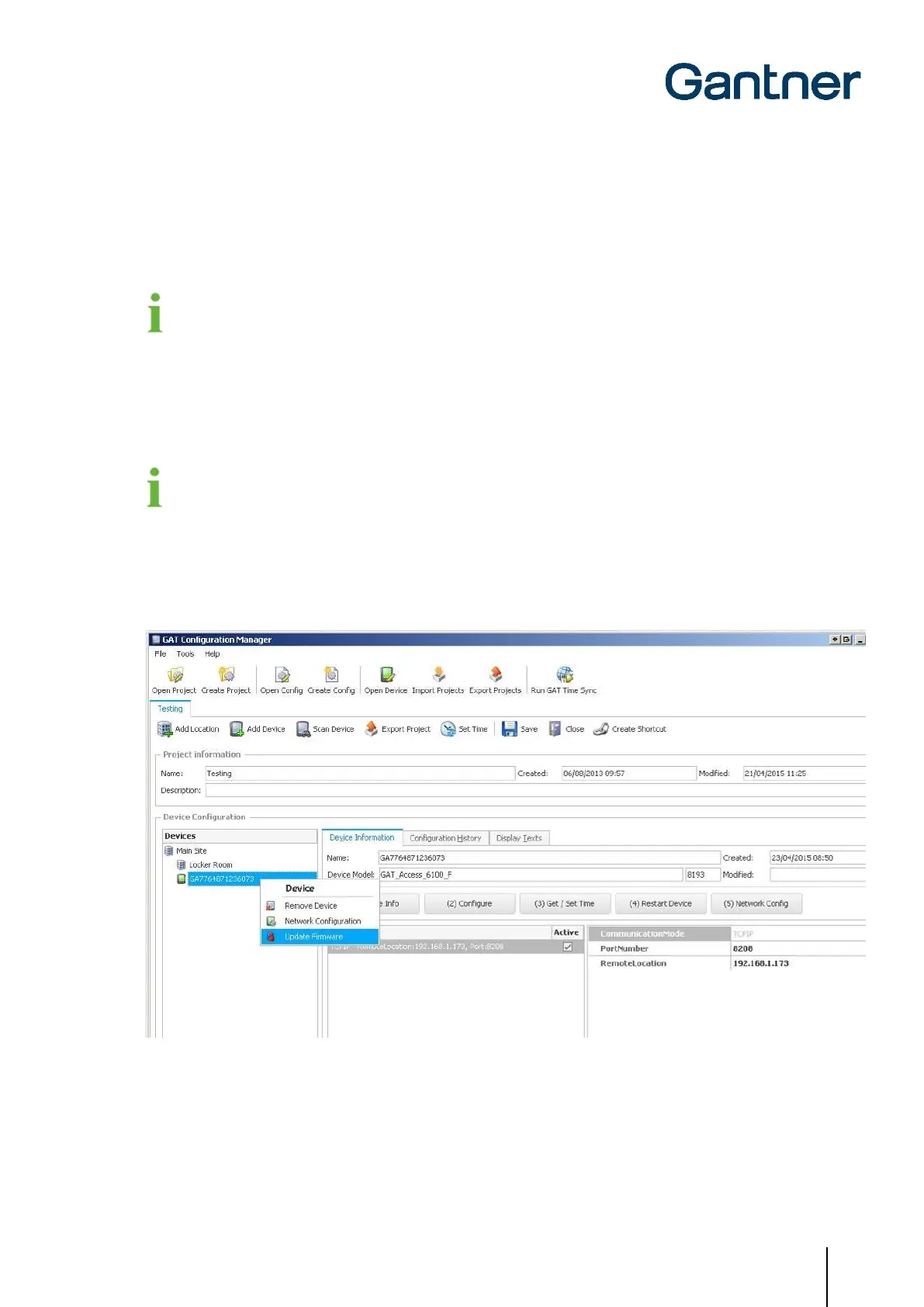
• Right-click on the GAT Access 6100 in the device tree and select “Update Firmware” from the menu (Figure 7.1).
o The device update wizard opens.
Figure 7.1 – Update the GAT Access 6100 firmware


 To Next Page
 Loading...