Garmin GPSMAP 695/696 Owner’s Manual
190-00919-00 Rev. G
92
Flight Planning
OverviewGPS NavigationFlight PlanningHazard AvoidanceAdditional FeaturesAppendicesIndex
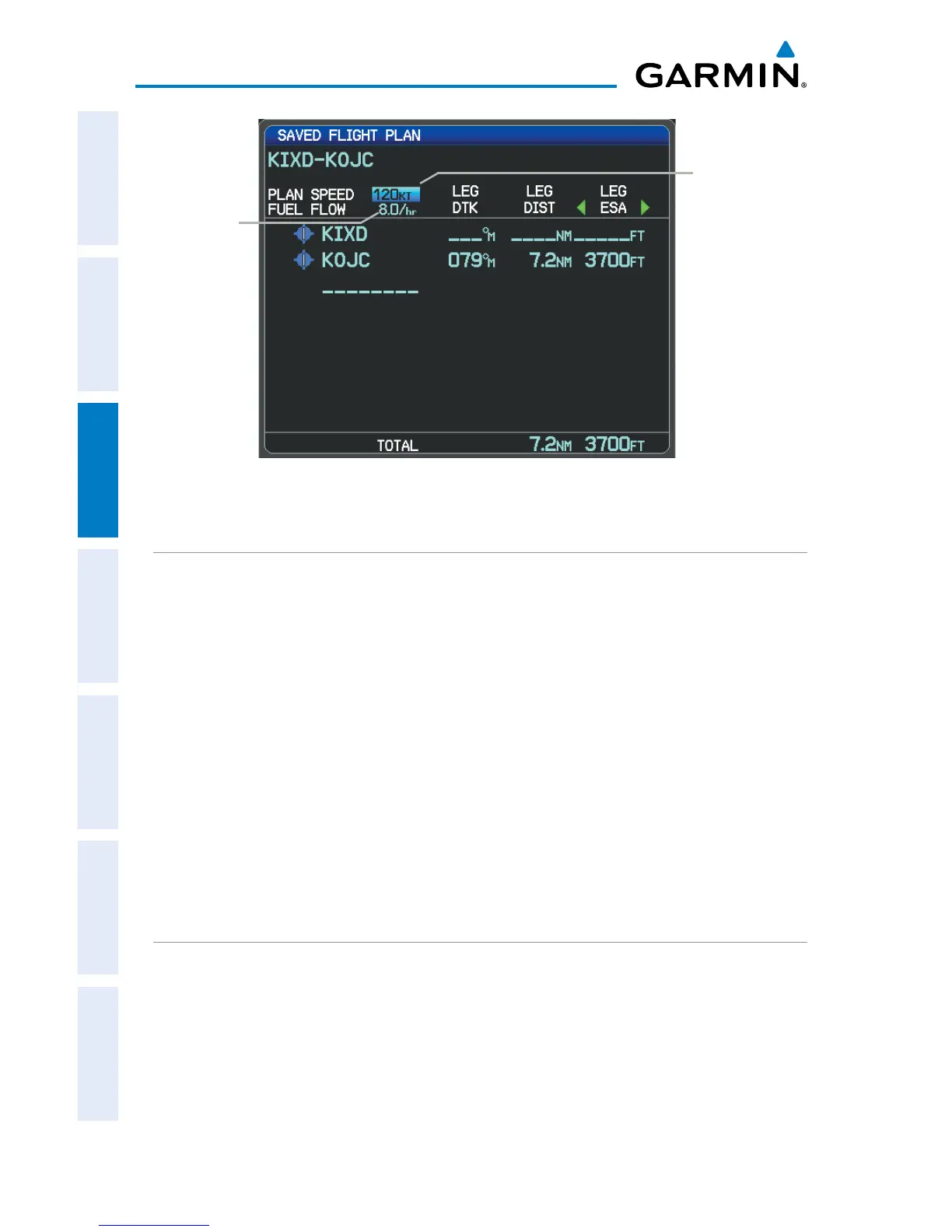
Plan Speed and Fuel Flow (Saved Flight Plan Page)
Fuel
Flow
Field
Plan
Speed
Field
COPYING FLIGHT PLANS
The GPSMAP 695/696 allows copying a flight plan into a new flight plan memory
slot, allowing editing, etc., without affecting the original flight plan. This can be used
to duplicate an existing stored flight plan for use in creating a modified version of the
original stored flight plan.
Copying a stored flight plan:
1)
Press the FPL Key and turn the FMS Joystick to display the Flight Plan List
Page.
2)
Press the FMS Joystick to activate the cursor, and turn or move the FMS
Joystick to highlight the desired flight plan.
3)
Press the MENU Key, using the FMS Joystick highlight ‘Copy Flight Plan’,
and press the ENT Key.
DELETING FLIGHT PLANS
Individual or all stored flight plans can be deleted from the GPSMAP 695/696
memory.
Deleting a stored flight plan:
1)
Press the FPL Key and turn the FMS Joystick to display the Flight Plan List
Page.
2)
Press the FMS Joystick to activate the cursor, and turn or move the FMS
Joystick to highlight the desired flight plan.














 To Next Page