Garmin GPSMAP 695/696 Owner’s Manual
190-00919-00 Rev. G
36
GPS Navigation
OverviewGPS NavigationFlight PlanningHazard AvoidanceAdditional FeaturesAppendicesIndex
DATA BAR FIELDS
The number and content of the data bar fields on the Map, Terrain, and Info Pages
are independently configured by the user. For each page that supports data bar fields
the user may choose 0, 4, 8, 12, or 6 and the HSI (if available).
Data Bar Fields
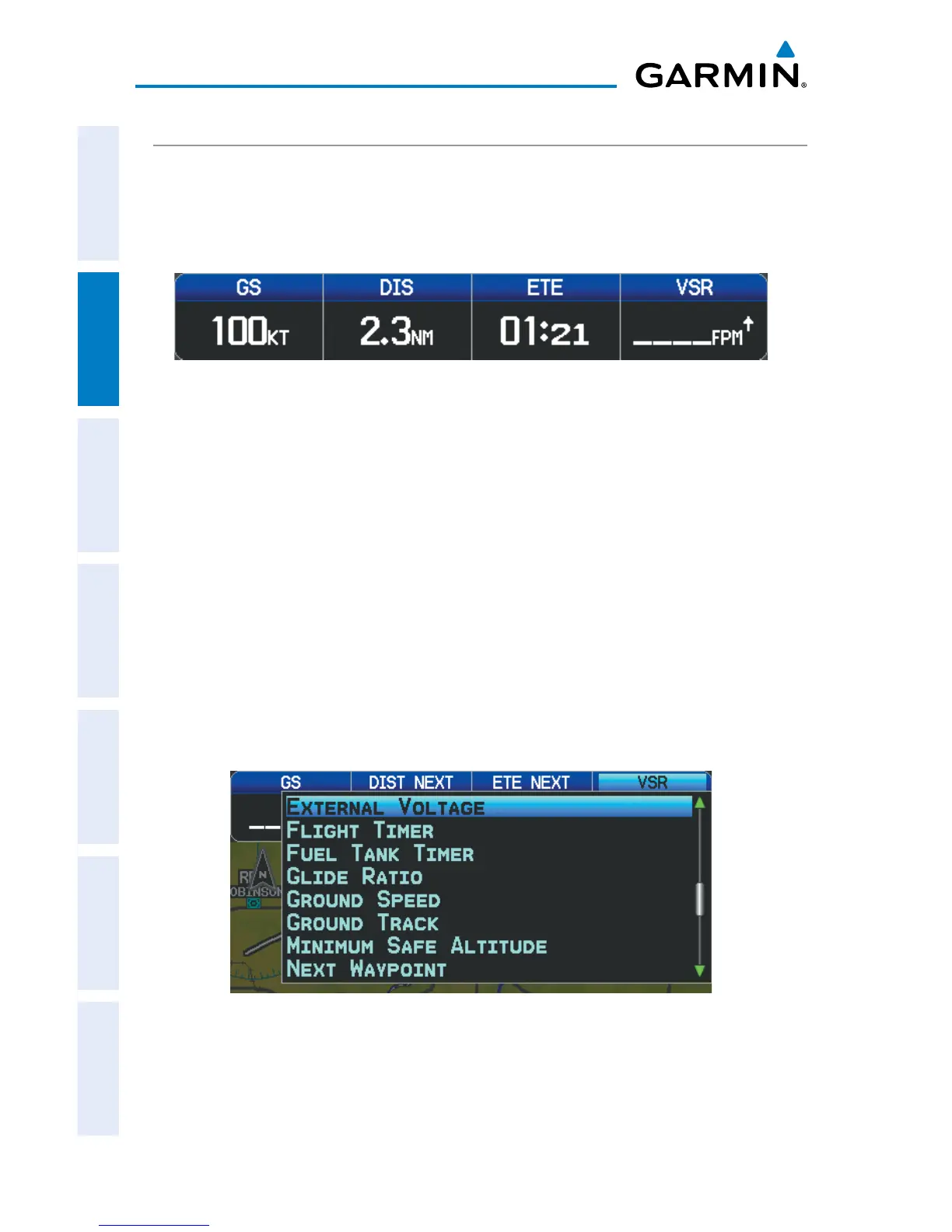
By default, the Navigation Map Data Bar Fields are set to display ground speed (GS),
distance (NEXT), estimated time enroute (ETE NEXT), and vertical speed required (VSR).
These four data fields can be changed to display any of the Data Bar Field Options.
Changing the information shown in the data bar fields:
1)
From the Map Page, Terrain Page, or the Info Page press the MENU Key.
2)
Turn or move the FMS Joystick to highlight ‘Change Data Fields’ and press
the ENT Key.
3)
Move the FMS Joystick to highlight the desired data field.
4)
Turn the FMS Joystick to access the list of options, then turn or move the
FMS Joystick to highlight the desired option and press the ENT Key.
Data Bar Field Selection














 To Next Page