Garmin GPSMAP 695/696 Owner’s Manual
190-00919-00 Rev. G
Appendix D
207
Overview GPS Navigation Flight Planning Hazard Avoidance Additional Features Appendices Index
INSTALLATION & INTERFACING INFORMATION
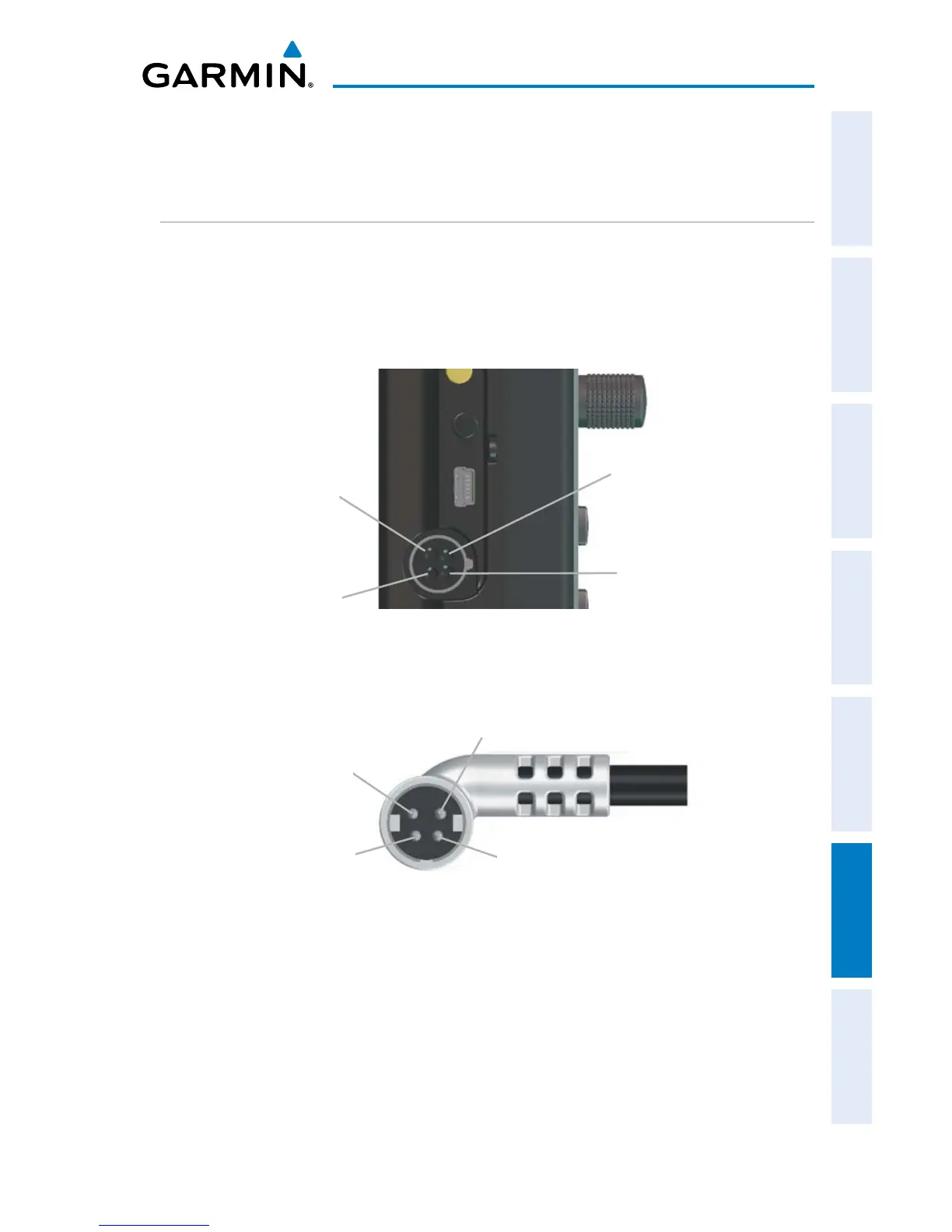
CONNECTING THE POWER/DATA CABLE
The power/data cable connects the GPSMAP 695/696 to an 9-40 VDC system
and provides interface capabilities for connecting external devices. The color code
in the diagram below and to the right indicates the appropriate harness connections.
Replacement fuse is 4 Amp.
Ground (Black)
Data In (Yellow)
Power/Data Connector on the GPSMAP 695/696 Unit
Data Out (Blue)
Power (Red)
Ground (Black)
Data In (Yellow)
Power/Data Connector on the Cable
Data Out (Blue)
Power (Red)














 To Next Page