Garmin GPSMAP 695/696 Owner’s Manual
190-00919-00 Rev. G
55
GPS Navigation
Overview GPS Navigation Flight Planning Hazard Avoidance Additional Features Appendices Index
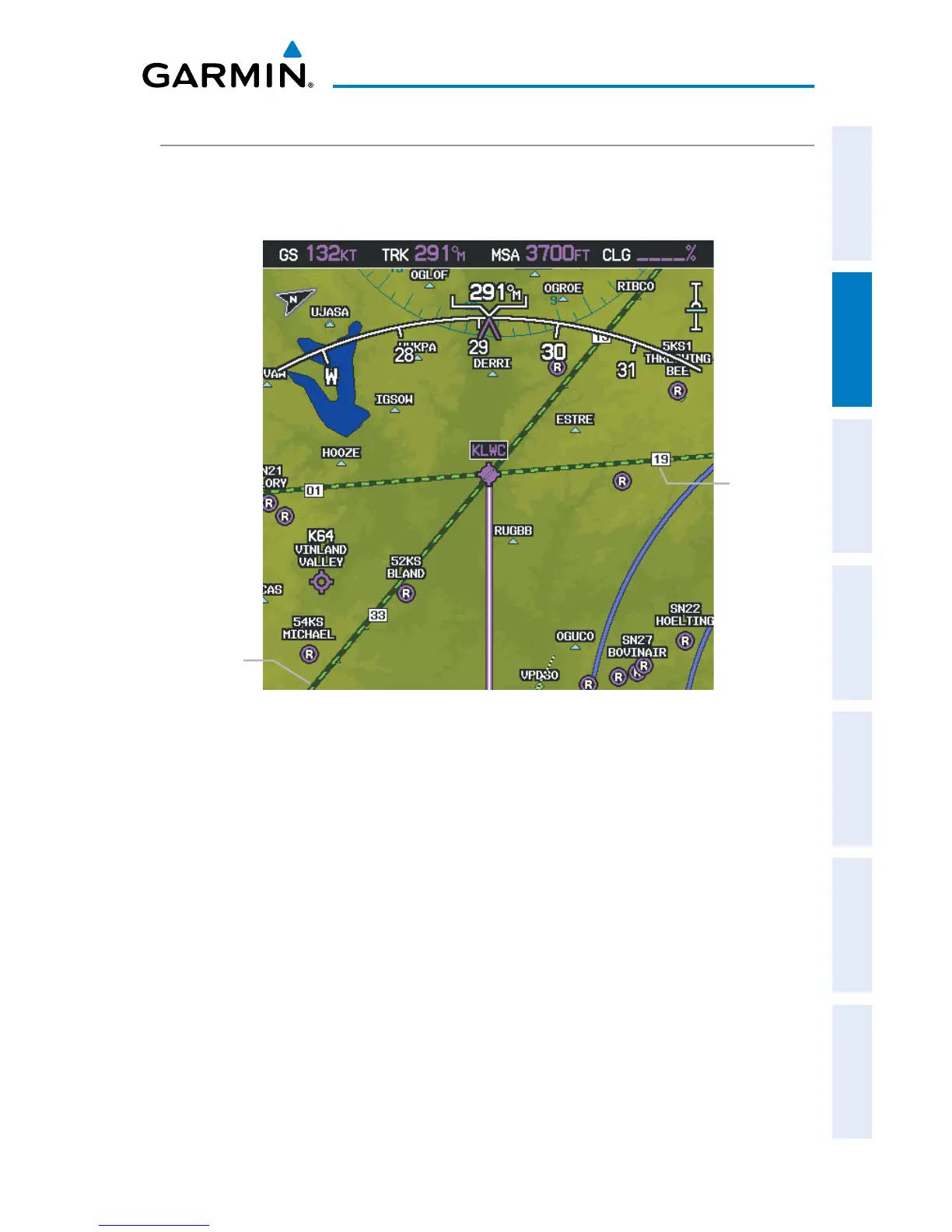
AIRPORTS & NAVAIDS
Airport and NAVAID information can be customized to display a variety of information
including: runway extension lines, runway numbers and visual reporting points (VRP).
Runway Extensions and Numbers (Map Page)
Runway
Number
Runway
Extension
line
Setting up and customizing airports and NAVAIDs for the map
page:
1)
From the Map Page press the MENU Key.
2)
Turn or move the FMS Joystick to highlight ‘Set Up Map’ and press the
ENT Key.
3)
Turn the FMS Joystick to select the ‘Airport’ or ‘NAVAID’ Category from the
horizontal list.
4)
Move the FMS Joystick to highlight the desired feature.
5)
Turn the
FMS
Joystick to access a list of options for each feature (On/Off,
Auto, range settings, or text size).
6)
Using the
FMS
Joystick select the desired option and press the
ENT
Key.
7)
Press the FMS Joystick, the CLR Key, or the EXIT Softkey to return to the
Map Page with the changed settings.














 To Next Page