Garmin GPSMAP 695/696 Owner’s Manual
190-00919-00 Rev. G
8
Overview
OverviewGPS NavigationFlight PlanningHazard AvoidanceAdditional FeaturesAppendicesIndex
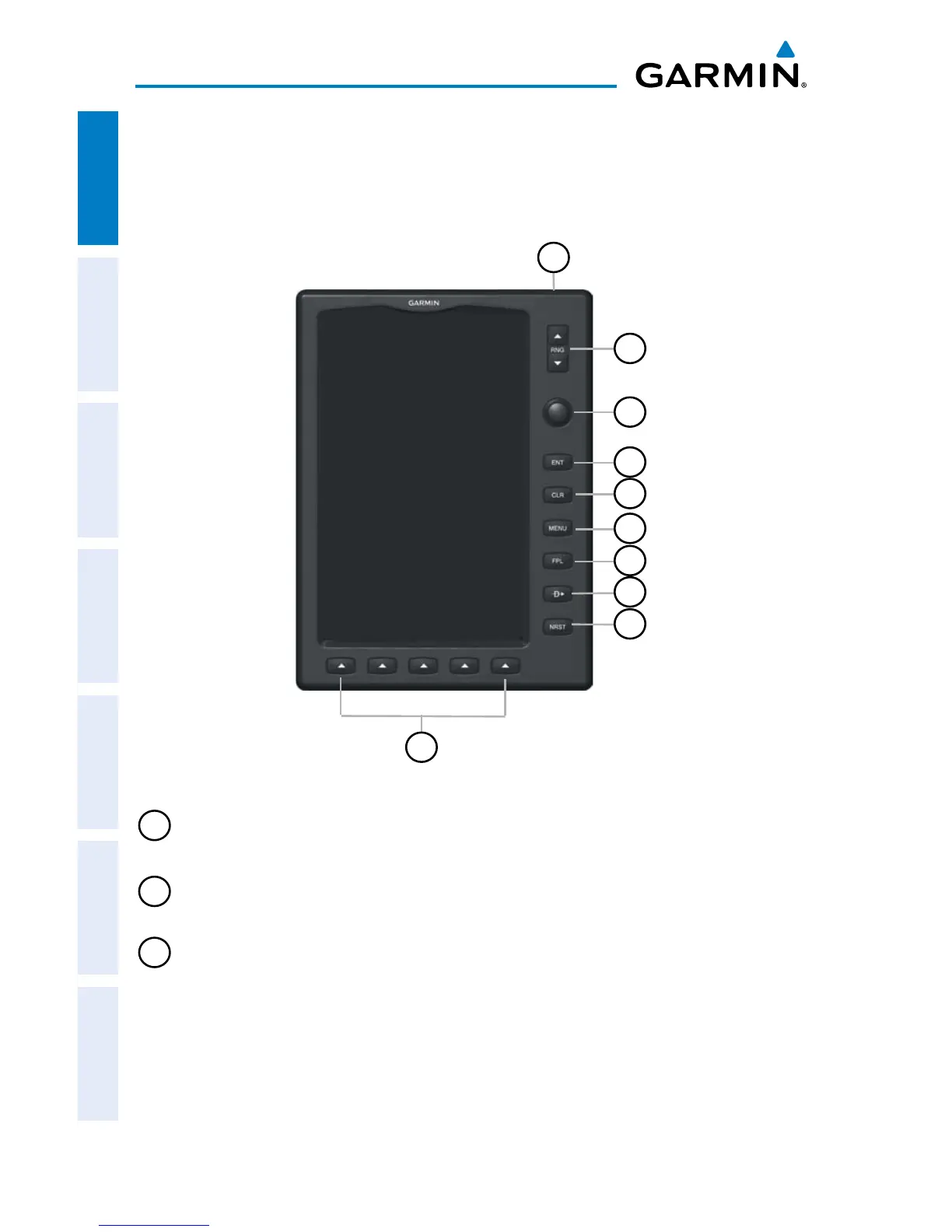
1.2 GPSMAP 695/696 CONTROLS
The GPSMAP 695/696 controls have been designed to simplify operation of the system
and minimize workload and the time required to access sophisticated functionality.
Controls
10
4
3
2
5
6
7
8
9
1
1
Power
Button
Press and hold to turn the unit on or off
With the unit on, press to adjust the backlight and volume
2
RNG Key Press to increase or decrease the viewing range of the map
3
FMS
Joystick
Press the FMS Joystick to toggle input focus between user
interaction with the current page and the page navigation bar
Turn the FMS Joystick clockwise to access a dropdown menu
Turn the FMS Joystick to change the selected value within the
highlighted field
Move the FMS Joystick to highlight fields or move the map pointer
when interacting with the page














 To Next Page