Garmin GPSMAP 695/696 Owner’s Manual
190-00919-00 Rev. G
184
Additional Features
OverviewGPS NavigationFlight PlanningHazard AvoidanceAdditional FeaturesAppendicesIndex
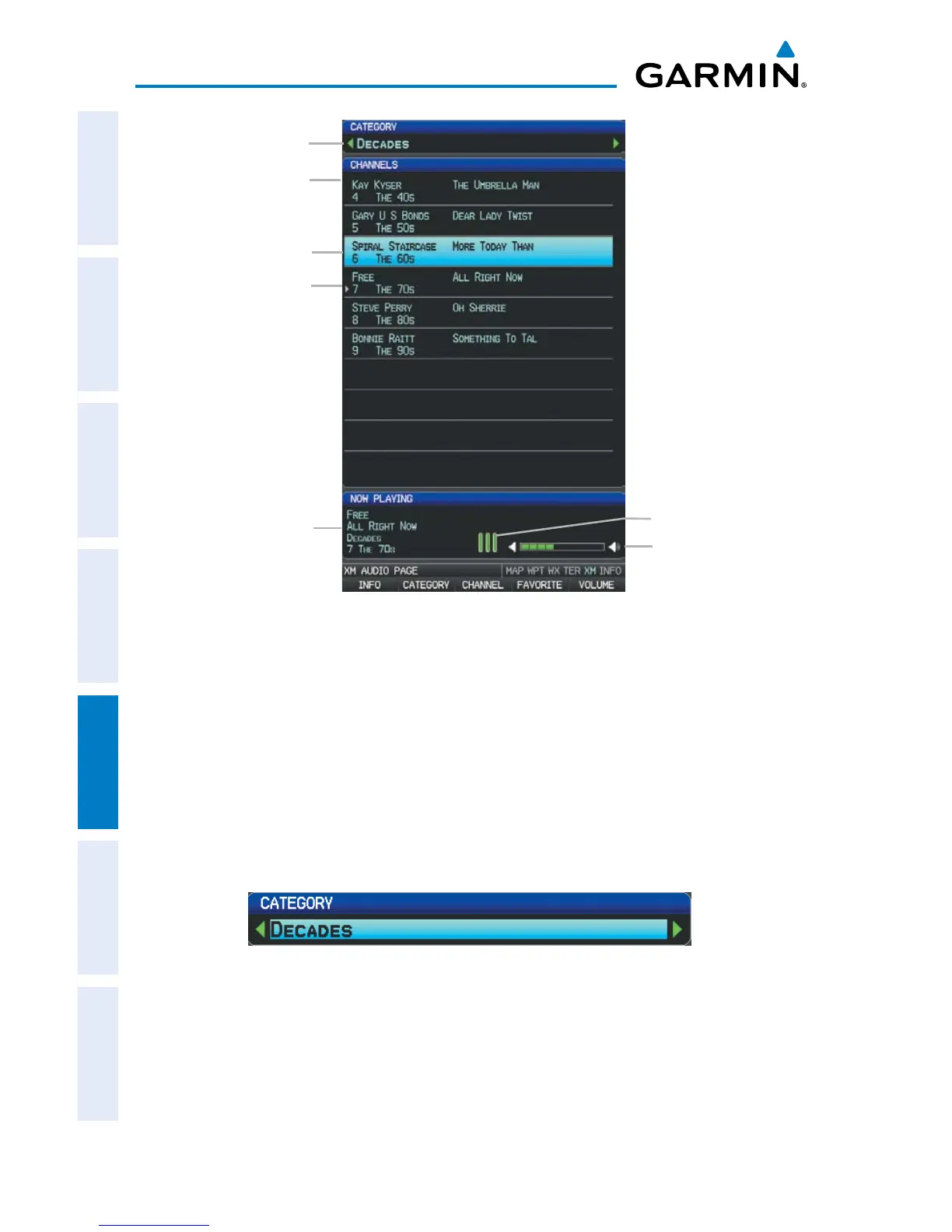
XM Audio Page
Channels
Categories
Active Channel:
-Artist Name
-Song Title
-Category
-Channel
Signal Strength
Volume
Active Channel
Selected Channel
CATEGORY
The Category Field of the XM Audio Page cycles through a horizontal list of categories
such as jazz, rock, or news.
Selecting a category:
1)
Select the CATEGORY Softkey on the XM Audio Page. The Category Field
is highlighted.
Category Field
2)
Turn the FMS Joystick to highlight the desired category.
Or
:














 To Next Page