Garmin GPSMAP 695/696 Owner’s Manual
190-00919-00 Rev. G
Appendix D
208
OverviewGPS NavigationFlight PlanningHazard AvoidanceAdditional FeaturesAppendicesIndex
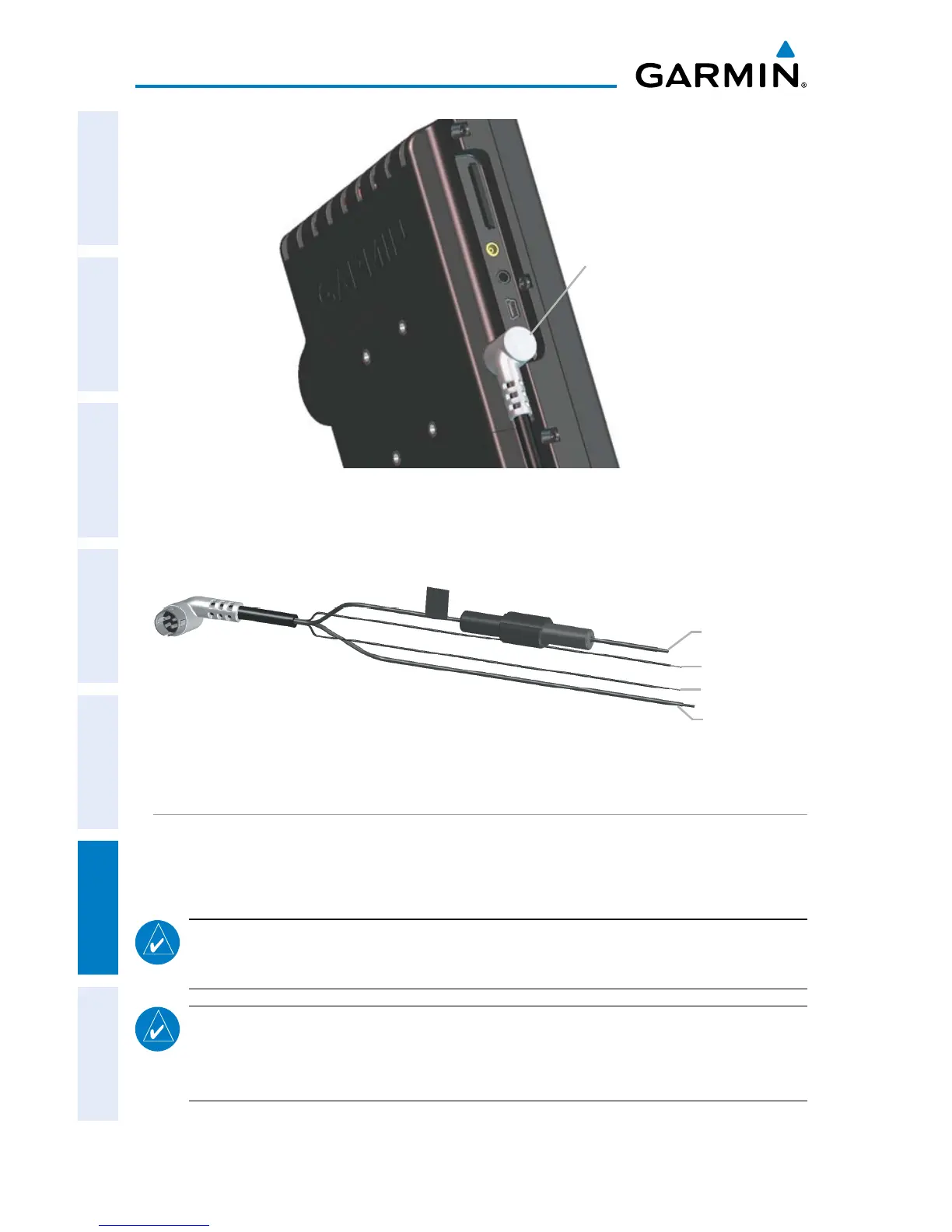
Power/Data
Connector
GPSMAP 695/696 and Power/Data Connector
Ground (Black)
Data In (Yellow)
Bare Wire Power/Data Cable for the GPSMAP 695/696 Unit
Data Out (Blue)
Power (Red)
CONNECTING TO A GARMIN VHF COMM RADIO
The GPSMAP 695/696 can also output frequency data to a Garmin aviation radio.
Currently the two models supported are the SL30 nav/comm and the SL40 comm.
NOTE:
For additional information refer to the SL30 nav/comm or the SL40
comm installation manual.
NOTE: This interface does not have an FAA installation airworthiness approval.
If any abnormalities with SL 30/40 tuning or operation are encountered,
disconnect the GPSMAP 695/696 from the SL 30/40 tuning interface.














 To Next Page