Garmin GPSMAP 695/696 Owner’s Manual
190-00919-00 Rev. G
48
GPS Navigation
OverviewGPS NavigationFlight PlanningHazard AvoidanceAdditional FeaturesAppendicesIndex
b)
Turn the FMS Joystick to access a list of available options.
c)
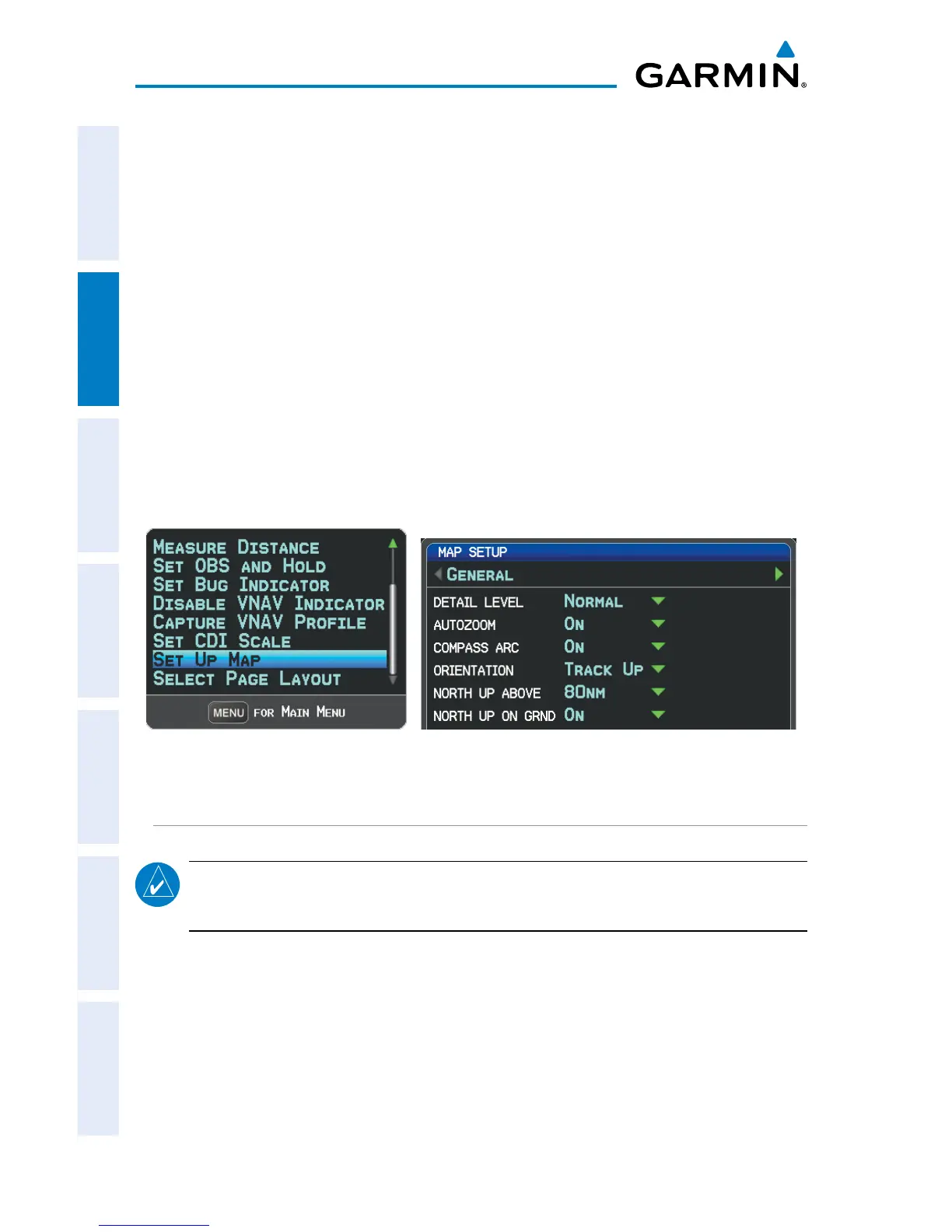
Turn or move the FMS Joystick to highlight ‘North Up’, ‘Track Up’, or
‘DTK Up’, and press the ENT Key.
Or
:
a)
Move the FMS Joystick to highlight the ‘North Up Above’ field.
b)
Turn the FMS Joystick to access a list of available range options.
c)
Turn or move the FMS Joystick to highlight the desired range above
which to display North Up orientation.
Or
:
a)
Move the FMS Joystick to highlight the ‘North Up On GRND’ field.
b)
Using the FMS Joystick highlight ‘On’ or ‘Off’, and press the ENT Key.
When ‘North Up On GRND’ is ‘ON’ (default), the map orientation will
change to North Up when the aircraft is on the ground.
Map Page Menu General Menu (Map Setup Page)
MAP RANGE
NOTE: Refer to the Additional Features section for information on changing the
FliteCharts
®
,
or
ChartView range.
There are 23 different map ranges available, from 200 feet to 800 nm. The current
range is indicated in the lower right corner of the map. The scale bar represents the
map scale. To change the map range on any map, use the down arrow on the RNG
Key to zoom in (decreasing), or the up arrow to zoom out (increasing).
When the selected range exceeds the resolution of the map data, ‘overzoom’
appears below the map range scale.














 To Next Page