Garmin GPSMAP 695/696 Owner’s Manual
190-00919-00 Rev. G
110
Hazard Avoidance
OverviewGPS NavigationFlight PlanningHazard AvoidanceAdditional FeaturesAppendicesIndex
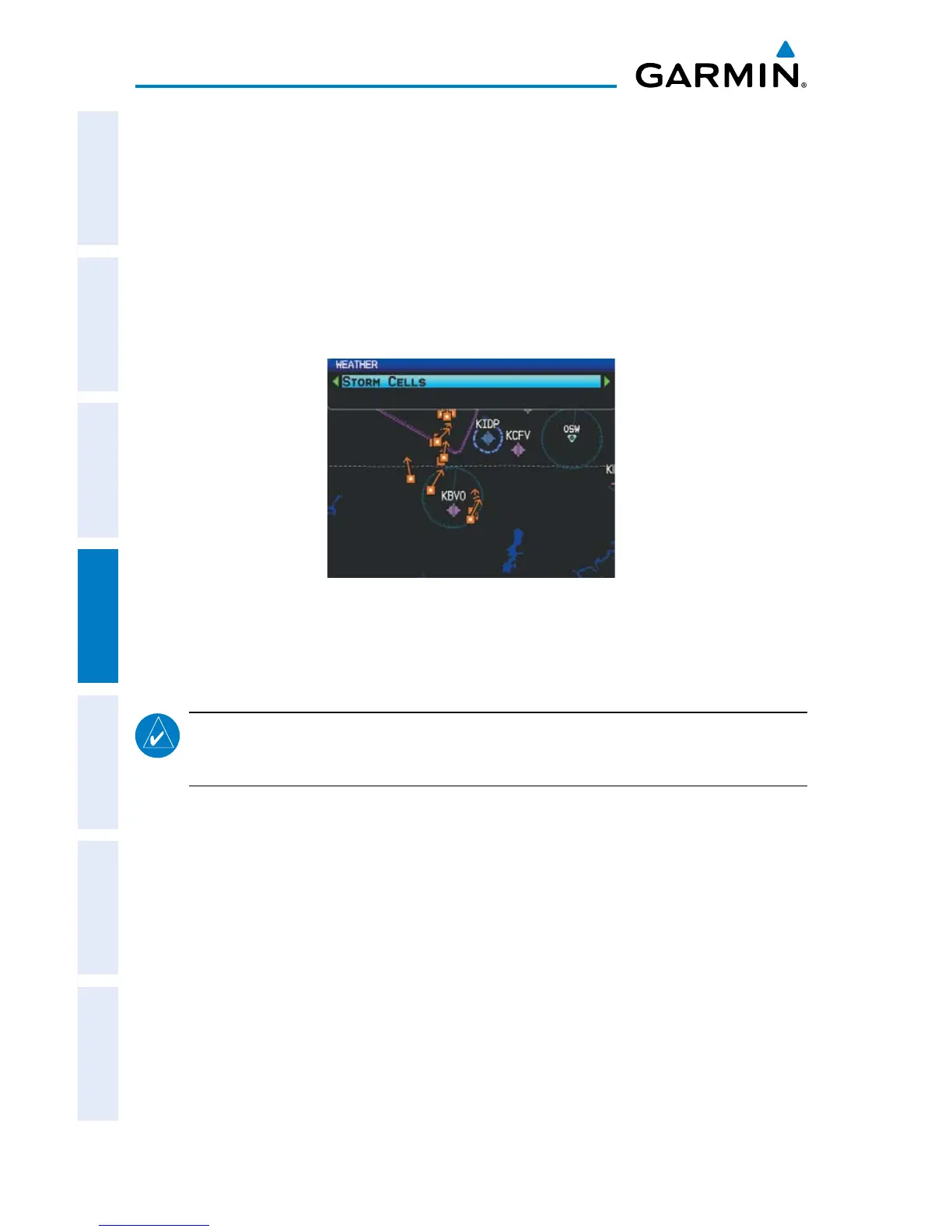
storm cells
The Storm Cells feature displays storms as well as the storm’s projected path in the
immediate future.
The direction of the storm is displays by an arrow (at a range of 20 nm or less). The
tip of the arrow indicates where the storm should be in 15 minutes. Critical information
about the storm cell (tops and intensity) can be viewed by selecting the storm cell with
the Map Pointer. Pressing the ENT Key will display additional information.
Storm Cell Data
metArs And tAfs
NOTE:
METAR information is only displayed within the installed navigation
database service area.
METAR (METeorological Aerodrome Report) is the standard format for weather
briefings. METARs are updated hourly and are considered current. METARs typically
contain information about the temperature, dewpoint, wind, precipitation, cloud cover,
cloud heights, visibility, and barometric pressure. They can also contain information
on precipitation amounts, lightning, and other critical data. METARs are shown as
colored flags at airports that provide them.
TAF (Terminal Area Forecast) is the standard format for 24-hour weather forecasts.
TAFs may contain some METAR data, but generally cover a smaller area. It typically
forecasts significant weather changes, temporary changes, probable changes, and
expected changes in weather conditions.














 To Next Page